Конвейеры рендеринга и графика
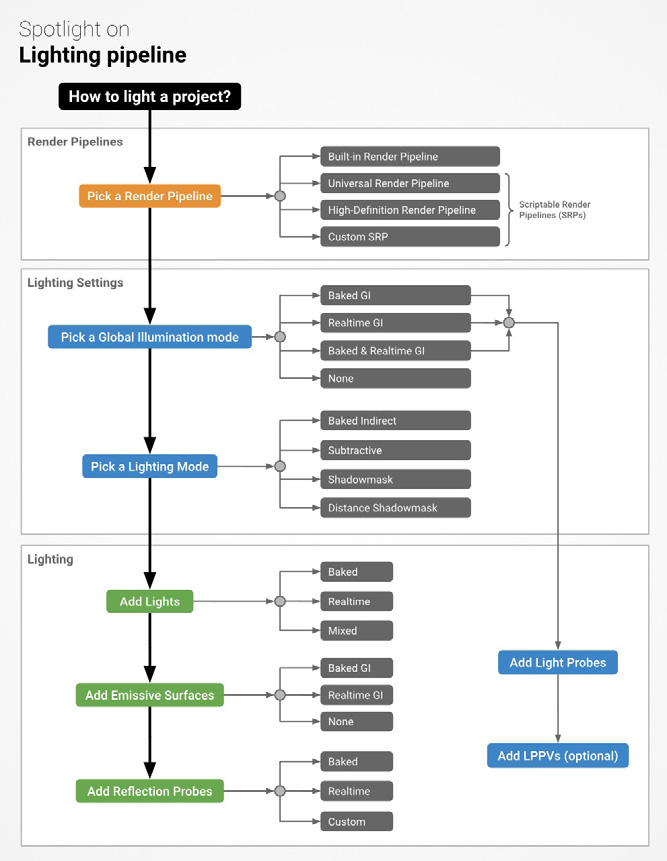
Render pipelines and graphics No game is complete without graphics. Before you begin lighting your scenes, you will need to choose between one of the different render pipelines. A render pipeline performs a series of operations that take the contents of a scene to display them on-screen. 3D pipelines Unity provides three prebuilt render pipelines with different capabilities and performance characteristics. You can also create your own. —
The Built-in Render Pipeline is a general purpose render pipeline with limited customization. This is the default.
The Universal Render Pipeline (URP) is a prebuilt Scriptable Render Pipeline (SRP). URP provides artist-friendly workflows to create optimized graphics. Consider URP if you want to target multiple platforms – from mobile to desktop to consoles – with a single Unity project. URP adds graphics and rendering features unavailable to the Built-in Render Pipeline. In order to maintain performance, it makes tradeoffs to reduce the computational cost of lighting and shading. URP supports and scales to all Unity supported platforms. Choose URP if you want to build for mobile, Nintendo Switch, or Oculus Quest.
The High Definition Render Pipeline (HDRP) is another prebuilt Scriptable Render Pipeline, designed for high-end hardware such as PC, Xbox, and PlayStation. HDRP supports the highest-quality physically based lighting and rendering available in Unity. Choose HDRP if photorealism is your goal. HDRP features different light types (Spotlight Pyramid/Box, Realtime Tube, and Realtime Rectangular) and more advanced Reflections (Probes with blending, Planar reflections, Screen space reflections). Fine-tune your materials with high-end shaders and effects, and use the pipeline debugging tools to troubleshoot renders.
Choose a render pipeline early when planning your project.
Both HDRP and URP include: —
Shader Graph, a tool that allows you to create shaders using a visual node editor instead of writing code in HLSL. This allows developers to offload some shader work to artists or technical artists.
Sample scenes, which show examples of how to set up lighting settings, materials, and shaders. Several preconfigured Render Pipeline Assets let you quickly swap between graphics quality levels with settings that are already optimized for their respective pipeline.
The latest Post Processing Stack – both URP and HDRP include their own post-processing systems optimized for their respective pipelines. These enable you to apply full-screen filters using an artistfriendly interface.
A Render Pipeline Debug utility with visualization tools that you can use to solve issues with lighting, shading, shadows, etc.
URP and HDRP work on top of the Scriptable Render Pipeline, a thin API layer that lets you schedule and configure rendering commands using C# scripts. This flexibility allows you to customize virtually every part of the pipeline. You can also create your own custom render pipeline based on SRP. While the Built-in Render Pipeline is not as customizable as URP or HDRP, it does support a wide number of platforms. To use it, you’ll need to configure the different rendering paths and extend its functionality with command buffers and callbacks.
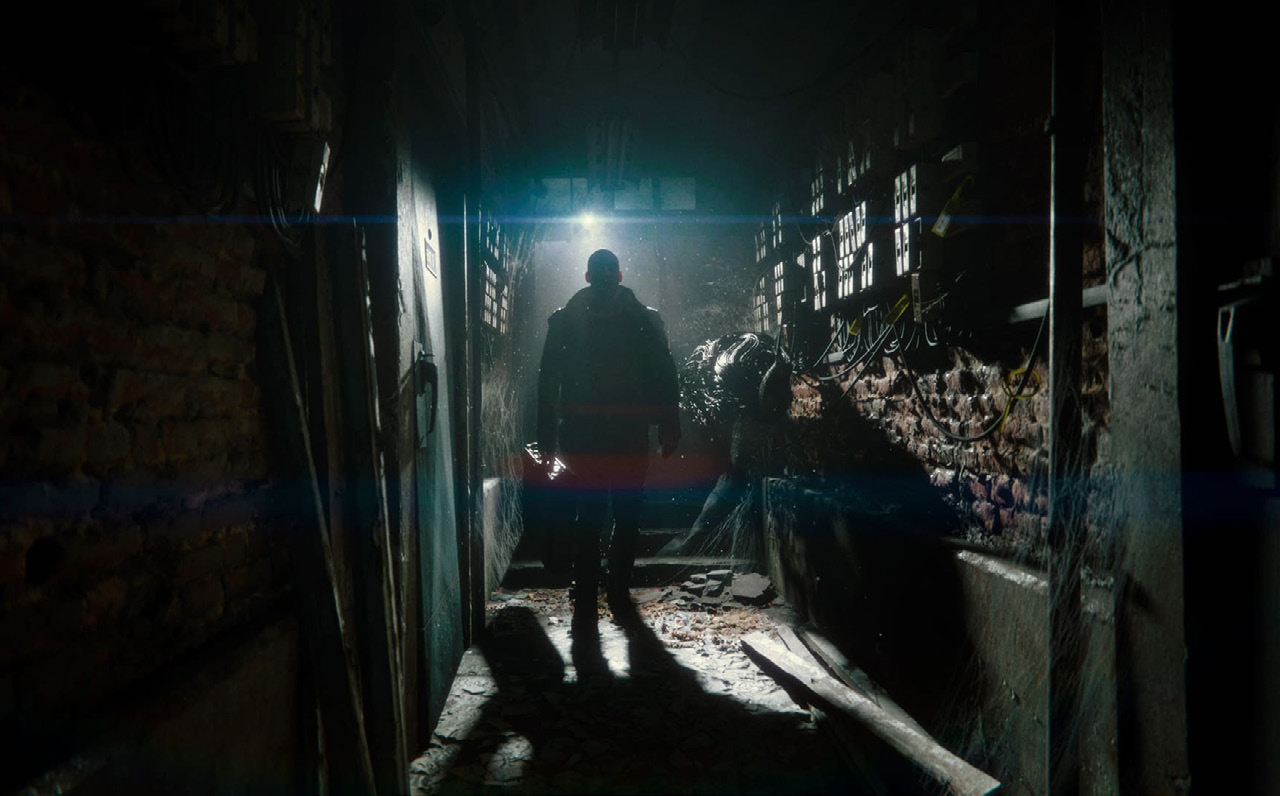
The Heretic short film showcases HDRP’s high-end graphical capabilities.
See Render pipelines in Unity for a more detailed comparison of the available pipelines.
2D pipeline The URP also includes a 2D Renderer. If you’re building a sprite-based game, this includes tools specifically designed to help you create a 2D experience: —
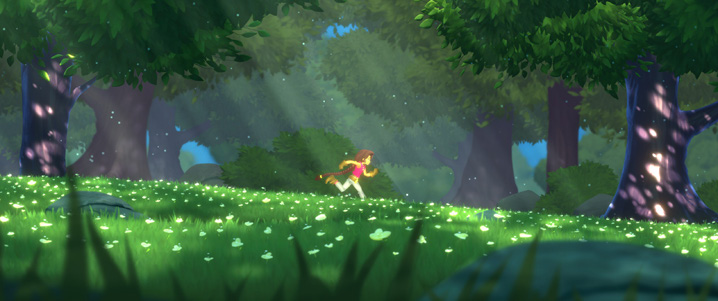
2D Lights can take a variety of shapes (Freeform, Sprite, Parametric, Point, and Global). These can interact with normal map and mask Textures when applied as a Secondary Texture in the Sprite Editor. This helps to create advanced lighting effects.
2D Lights in the Lost Crypt sample project
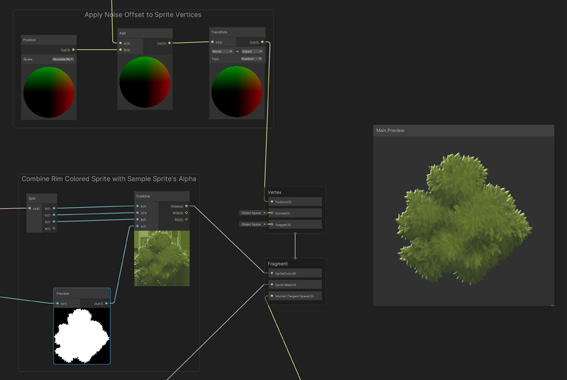
Shader Graph includes Lit and Unlit Sprite Masternodes. These streamline the node input, so you can pass in the appropriate Sample Texture2D nodes in order to render in 2D.
2D Shader Graph
The 2D Pixel Perfect package contains the Pixel Perfect Camera component, which ensures your pixel art remains crisp and clear at different resolutions, and stable in motion.
We recommend that you start with one of the available 2D demos, such as the Lost Crypt and Dragon Crashers 2D sample projects. These should inspire you on how to assemble the 2D tools into a real-time experience.