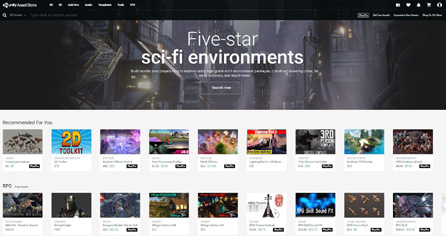
Unity Asset Store
Unity Asset Store The Unity Asset Store offers a variety of assets, from textures, animations, and models to entire project examples, tutorials, and Editor extensions. Both Unity Technologies and members of the community create assets and publish them to this active marketplace. You can download asset packages directly into your Unity project with the Package Manager. To access the Asset Store online, log into your Unity account, then shop a variety of 2D, 3D, and scripting assets: —
The Templates section enables you to download various tutorials and starter packs.
Audio has a library of sound files that you can use to enrich the user experience of your project, including ambient, music, voice, and sound effects.
The 2D and 3D sections feature plenty of environments, props, and characters in all art styles and genres to fill out your game levels.
Browse for Tools and Editors if you’re short on development time.
Discover systems for enhanced functions, from AI to Visual Scripting.
Importing an asset Once you purchase a free or paid asset, it should appear on your Unity account. In the Package Manager (Window > Package Manager), filter for My Assets, then download and import any assets associated with your account into the current project. Become a publisher You can become a publisher on the Asset Store to sell your creations (3D models, Editor extensions, audio, and more) and add a new stream of revenue while you’re working on your game. To get started, create an Asset Store Publisher account, check out the Submission Guidelines, and follow the Asset Store Provider Agreement. Submit your content using the Sell Assets page. The Asset Store third-party asset marketplace