Примеры проектов
Примеры проектов Вероятно, лучший способ познакомиться со средой разработки - заглянуть в вертикальный срез игрового прототипа. Такие примеры доступны в нескольких местах и помогут вам быстрее начать изучение Unity. Учебные проекты
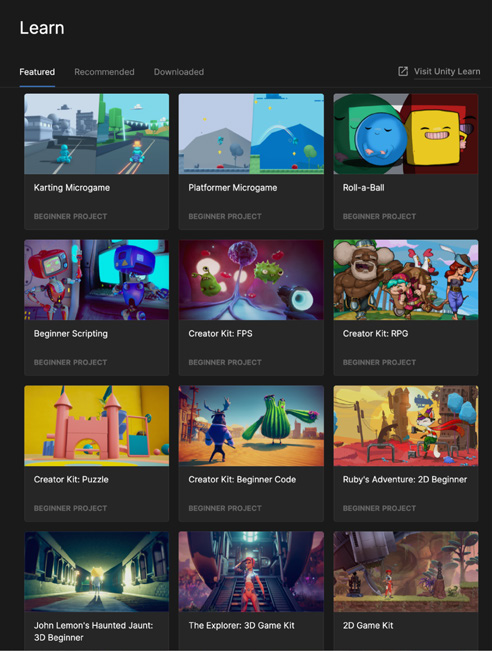
Экран Learn в Unity Hub предоставляет доступ к разнообразным руководствам и учебным материалам, включая множество примеров проектов, которые можно загрузить и импортировать непосредственно в Unity.
Изучите стартовые проекты на экране Learn.
Creator Kits и Microgames можно рассматривать как мини-шаблоны с документированными примерами кода. Многие из этих проектов рассчитаны на начинающих и не требуют написания кода, но опытные разработчики могут изучить их скрипты и ресурсы. Исследование и изменение проектов Learn - хороший способ познакомиться с распространёнными приёмами разработки проектов на Unity. Unity позволяет сохранить изменённый проект, а затем найти его в Unity Hub и продолжить работу. Исходные проекты без изменений останутся доступными на экране Learn.
Ресурсы Unity Asset Store Unity Asset Store - это площадка сообщества с бесплатными и платными ресурсами. Здесь можно найти сторонние инструменты и графические материалы почти для всего, что команда не хочет разрабатывать самостоятельно. Доступны ресурсы для готовых проектов и прототипов, расширения Unity Editor, инструменты для скриптов и даже почти готовые к выпуску проекты. Многие пакеты содержат подробные шаблоны, демонстрирующие важнейшие аспекты разработки на Unity и способные сэкономить дни или недели работы. В Asset Store представлены десятки тысяч ресурсов, и каждый день появляются новые пакеты. Если вы только начинаете, хорошей отправной точкой станут следующие пакеты Unity:
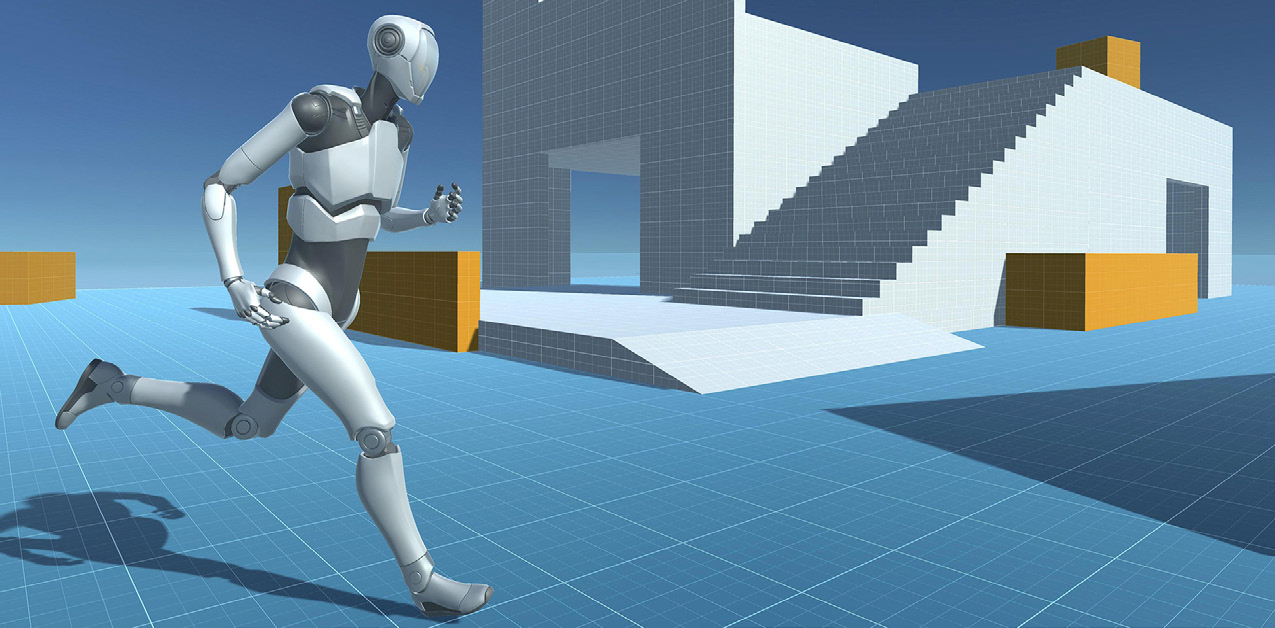
- Пакет Starter Assets содержит бесплатные облегчённые базовые контроллеры персонажа от первого и третьего лица. Они показывают, как управлять камерой с помощью пакетов Cinemachine и Input System. Starter Assets - First Person Controller и Starter Assets - Third Person Controller демонстрируют создание прототипа контроллера персонажа на тестовой сцене.
Starter Assets - Third Person Controller
Sample projects Probably the best way to familiarize yourself with the development environment is to peek into a vertical slice of a game prototype. You can find these in a number of places to kickstart your exploration of Unity. Learn projects The Learn screen on the Hub gives you access to a variety of tutorials and learning resources, including numerous example projects that you can download and import directly into Unity.
Explore starter projects on the Learn screen.
Think of the Creator Kits and Microgames as mini-templates with documented code samples. While many of these projects are “code-free” for beginners, more experienced developers can dissect their scripts and assets to learn. Exploring and modifying Learn projects is a good way to get familiar with common production techniques in Unity development. Unity gives you the option to save the modified project, then find it in Unity Hub to continue working on it later. The original, unmodified projects will remain available from the Learn screen.
Unity Asset Store assets The Unity Asset Store is a community marketplace filled with free and premium assets. You can find third-party tools and art assets for almost anything your team doesn’t want to develop in-house. Assets range from production and prototyping art to Editor extensions and scripting tools to whole projects nearly ready to ship. Many asset packages include extensive templates that illustrate essential aspects of Unity development and can save days or weeks of dev work. The Asset Store includes tens of thousands of assets, with more packages added each day. These packages from Unity offer a good entry point if you’re just getting started: —
The Starter Assets package includes free and lightweight first- and third-person character base controllers that demonstrate how to control the camera using the Cinemachine and the Input System packages. Starter Assets – First Person Controller and Starter Assets – Third Person Controller show you how to prototype a character controller on a playground scene.
Starter Assets – Third Person Controller