Паттерн «Команда»
The Command pattern
Instead of invoking a method directly, the command pattern allows you to encapsulate one or more method calls as a “command object.”
Then, you store these command objects in a collection, like a queue or a stack, which works as a small buffer. This gives you extra flexibility to control each command object’s execution. Common applications include playing back a series of actions with specific timing or making those actions undoable. You’ve likely encountered this in some of your favorite game genres: —
In a real-time strategy game, the command pattern could be used to queue up actions of units and buildings. The game would then execute each building command as resources became available or as a series of movement actions for the unit.
In a turn-based strategy game, the player could select a unit and then store its moves or actions in a queue or other collection. At the end of the turn, the game could execute all of the commands in the player’s queue.
In a puzzle game, the command pattern could allow the player to undo and redo actions.
In a fighting game, reading button presses or gamepad motions in a specific command list could perform combos and special moves.
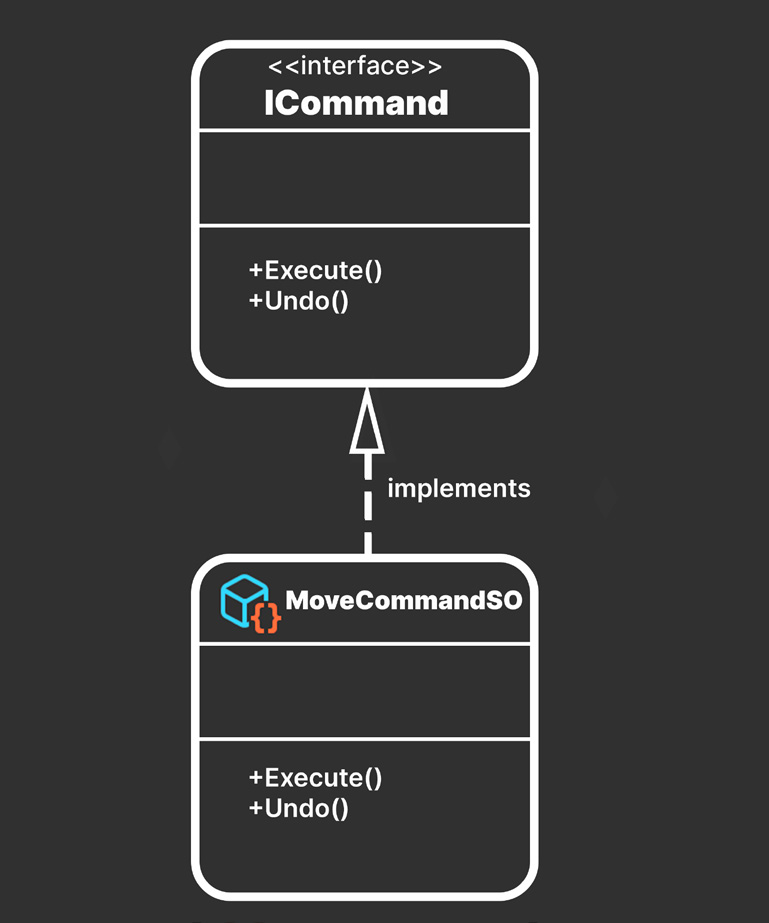
You can use ScriptableObjects to implement the command pattern. For example, you could create a command to define a Transform’s movement. Wrapping each action within a separate object results in extra control. You’ll define an interface ICommand an Execute method and an Undo method (you could also use an abstract class):
public interface ICommand {
    public abstract void Execute();
    public abstract void Undo();
}
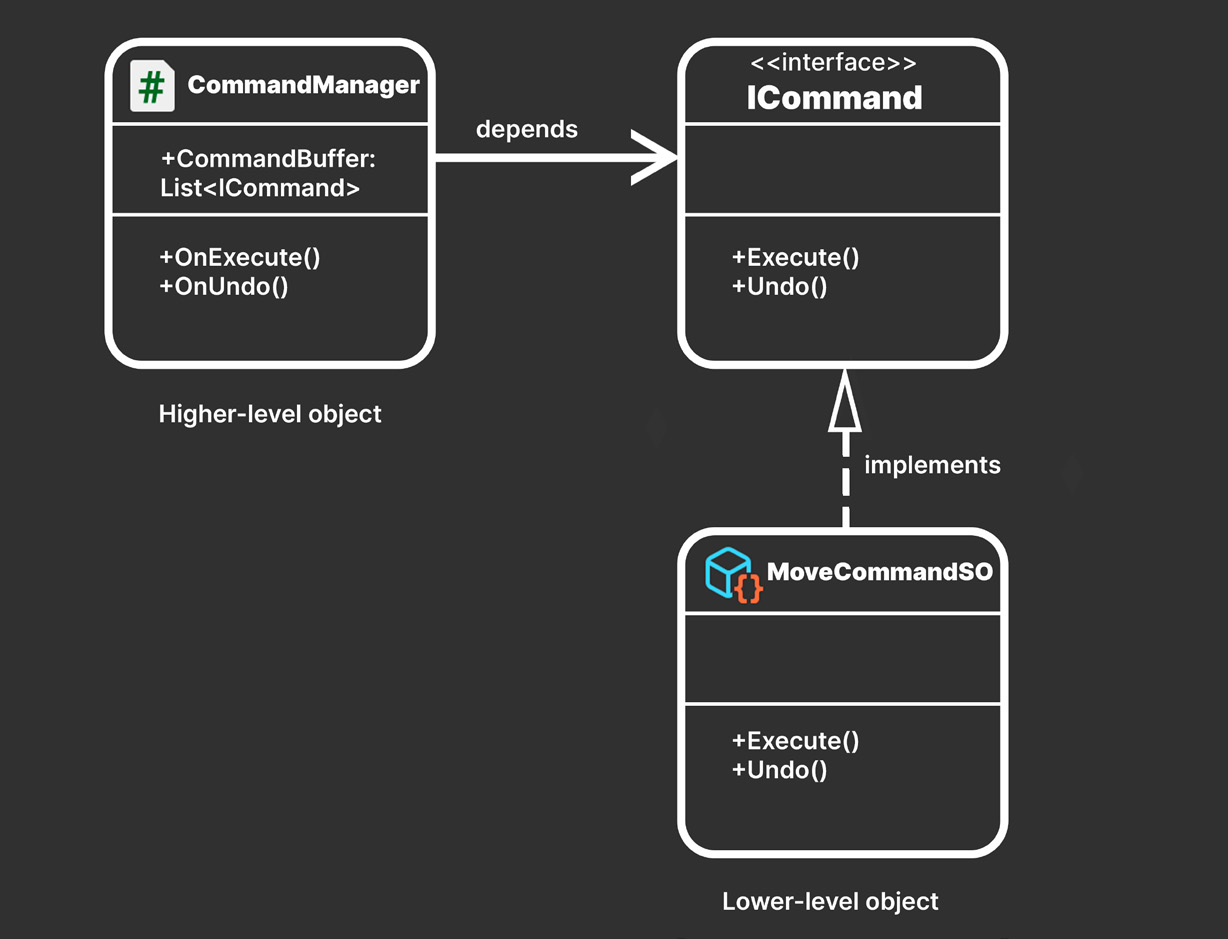
Then, have a ScriptableObject implement the ICommand interface. Each Command object fills out its own Execute and Undo methods with its own implementation details.
Implementing the command pattern with a ScriptableObject
A MonoBehaviour or ScriptableObject can then define a command buffer that will contain the command objects. This can be a collection, such as a list, stack, array, or queue.
A CommandManager maintains a collection of ICommand objects.
This simple structure lets you execute the commands in sequence. Imagine a tutorial or cutscene that moves a GameObject through a prescribed set of actions or animations. The command pattern is well suited for that. Because each command is a separate object, it’s easy to reorder them. Just decide how you want to maintain the CommandBuffer: —
If creating it as a stack, you push commands to the stack when executing them. When undoing an action, you can pop it off and keep a separate redo stack.
If you’re using a list or array, track the current Command’s index, then increment or decrement the index as you need to undo or redo commands.
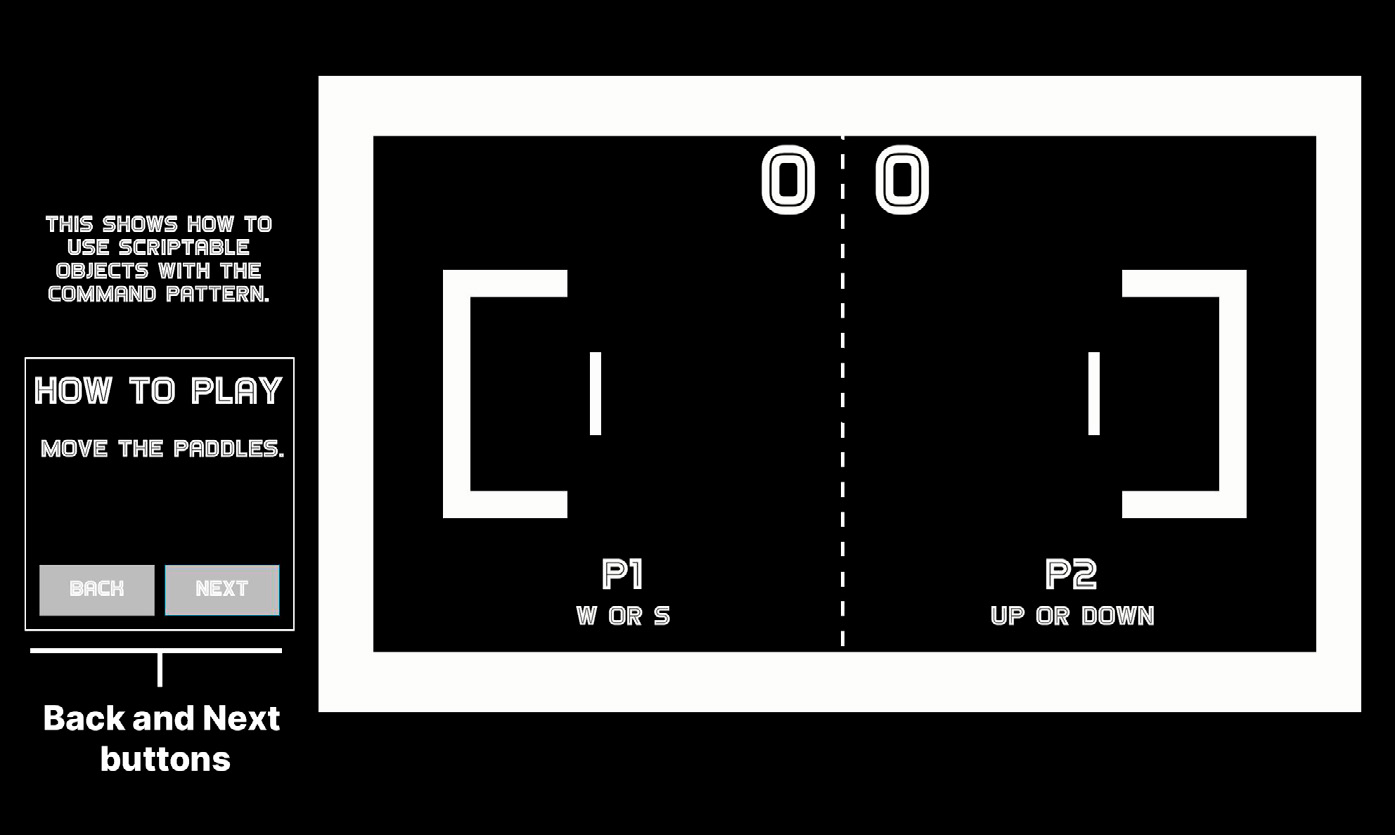
See the MoveCommandSO and CommandManager classes in the sample project for one example of undoable movement. Here, a rudimentary tutorial scene labels parts of the game board to explain how to play. Click the Next button to advance through the explanatory text. Likewise, click the Back button to cycle in reverse through the instructions.
A simple implementation of the command pattern.
You can find out more about the command pattern in the e-book Level up your code with design patterns and SOLID. Also, see this community post, Command pattern with ScriptableObjects, which demonstrates this pattern with ScriptableObjects.
ScriptableObjects or C# classes? When deciding on the right code architecture for your project, it’s important to consider the skills and preferences of your team, as well as your game’s performance requirements. While some designers may prefer to use the Unity Editor interactively, others may prefer to work entirely in C# code. Take these factors into account when creating a codebase that’s easy for everyone on your team to work with. Of course, no design pattern is a one-size-fits-all solution, and it’s important to carefully evaluate the pros and cons of each before implementing it. Remember that the “right” code architecture is just the one that works best for your team and your project.