Что такое ScriptableObject?
What are ScriptableObjects?
A ScriptableObject is a Unity object that’s not part of a GameObject instance. You can use it to create a custom class with its own variables and methods, but with less overhead than a MonoBehaviour. A ScriptableObject does not have a Transform and exists outside of the Scene Hierarchy. Instead, it lives at the project level as an asset, much like a material or 3D model. You can declare a ScriptableObject like this:
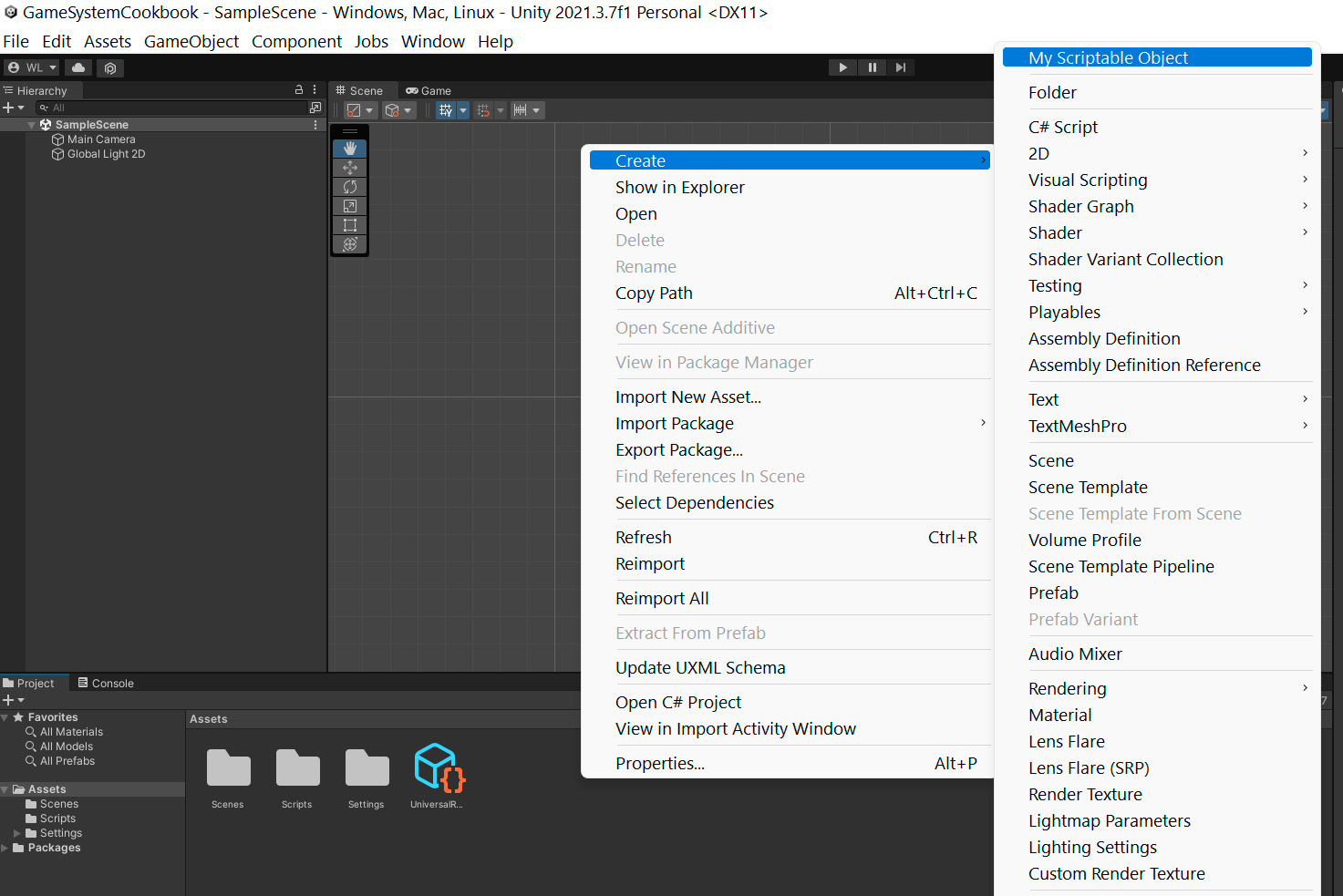
[CreateAssetMenu(fileName="MyScriptableObject")] public class MyScriptableObject: ScriptableObject { public int someVariable; }As you can see in the code above rather than deriving from MonoBehaviour, you inherit from ScriptableObject. You can’t use this directly on a GameObject. Instead, the CreateAssetMenu attribute gives you an extra action in your menus.
Navigate to Assets > Create > MyScriptableObject (or right-click in the Project window), and you can instantiate a custom asset from your ScriptableObject class.
Creating a ScriptableObject
Any other script can then reference this ScriptableObject asset from any scene, using a field:
public class MyMonoBehaviour : MonoBehaviour { public ScriptableObject soInstance; }
ScriptableObjects are especially useful for anything that doesn’t need to change at runtime.
Because Unity treats ScriptableObjects as first-class objects, you can: —
Store them in variables
Dynamically create or destroy them at runtime
Pass them as arguments
Return them from a method
Include them in data structures
Serialize/deserialize them
This last bullet point highlights one of ScriptableObjects’s key features: the ability to appear in the Inspector. This means that its fields are easy to read and modify in the Editor. Change values in a ScriptableObject at runtime, and your game application updates immediately. Exit Play mode, and those values remain in place. This makes them useful for game designers who need to balance game settings without having to write code. As a plus, ScriptableObjects can often store changes while the application is running. This offers a few advantages over using MonoBehaviours alone.
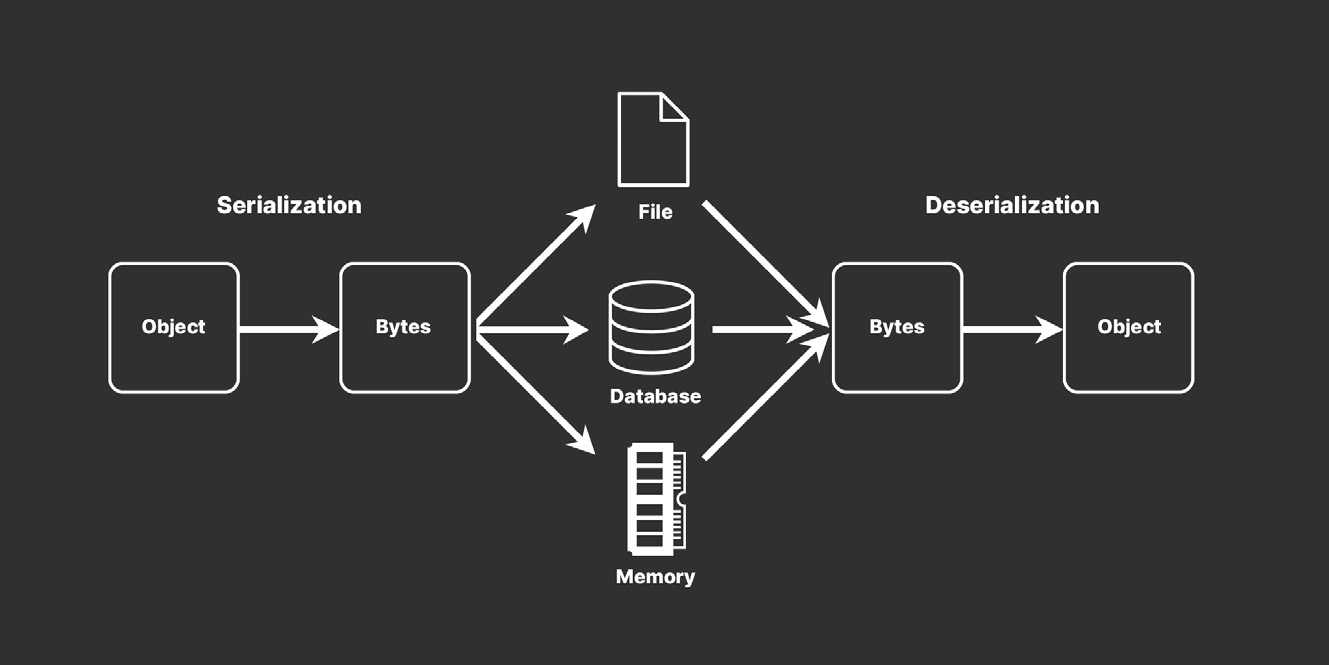
Serialization Serialization is the automatic process of transforming data structures or object states into a format that’s easier to store and reconstruct later. Unity’s serialization backend takes data that’s scattered over memory and then lays it out sequentially. This reorganized data stream then can be stored in a database, a file, or memory. “Deserialization” is the reverse process.
Serialization is the process of converting an object into a stream of bytes to store the object or transmit it to memory, a database, or a file.
Although memory layout is easy to overlook in C# development, we should be aware of several built-in Unity features that use serialization: —
Saving and loading: If you open a .unity scene file with a text editor and have set unity to “force text serialization,” the serializer is run with a YAML backend.
The Inspector window: This interface doesn’t talk to the C# API to figure out the values of whatever it’s inspecting. Instead, it asks the object to serialize itself and displays the serialized data.
Prefabs: Internally, a prefab is the serialized data stream of GameObjects and components. A prefab instance is a list of modifications that should be made on top of the serialized data.
Instantiation: When you instantiate a prefab (or a GameObject that lives in the scene), you serialize the object, create a new object, and then deserialize the data onto the new object.
For more information about serialization in Unity, see this blog post or watch “How Unity’s Serialization system works.”