Паттерн расширяемых перечислений
The Extendable enums pattern
Game development often requires the task of solving recurring or similar problems. Fortunately, you can tap into the collective knowledge of software engineers who’ve already “been there and done that” with design patterns. Design patterns are general solutions that can help you build larger, scalable applications. They can improve code readability and make your codebase cleaner. Design patterns reduce refactoring and the time spent testing. Think of a design pattern as template for solving common issues like: —
Storing a lot of data efficiently
Getting objects from different game systems to speak to each other
Swapping out behavior on the fly at runtime
ScriptableObjects can help implement some of these patterns. You’ve already seen how they can function as data containers, but they can do more than simply save values or settings. The next few sections explore how you can go beyond using ScriptableObjects to save data.
Enum-like categories In fact, ScriptableObjects actually don’t have to contain anything at all to be useful. If you create an empty ScriptableObject, you’ll discover that it still has utility, even if it’s only used for comparing against other ScriptableObjects.
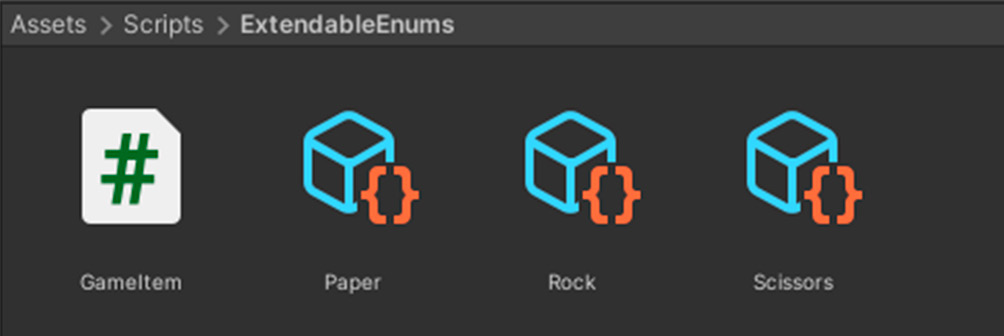
In your game application, suppose you make a number of assets from an empty GameItemSO ScriptableObject, like so: Using UnityEngine;
[CreateAssetMenu(fileName="GameItem")] public class GameItemSO : ScriptableObject {Empty ScriptableObjects work as enums.
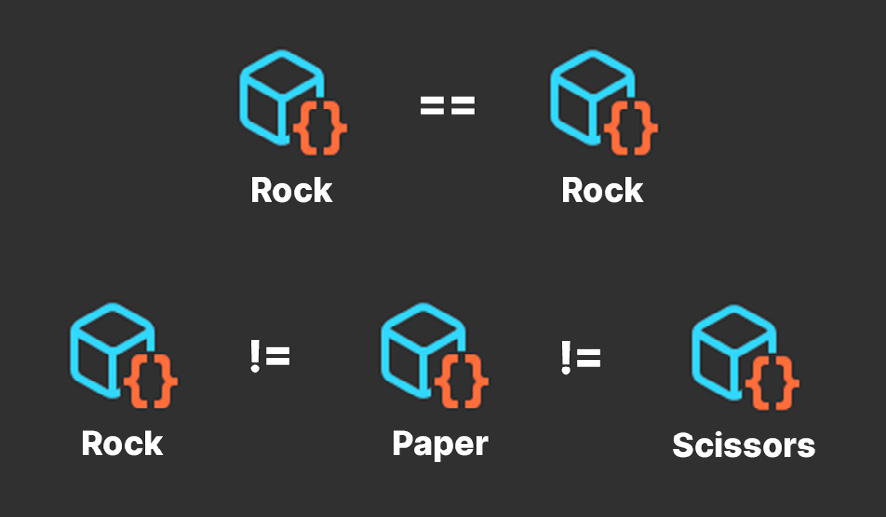
This allows you to generate any number of assets within the project. Even without containing any data, the ScriptableObject itself can represent a category or item type, similar to an enum. Do two variables refer to the same ScriptableObject? Then they’re the same item type. Otherwise, they’re not. So, you could have a ScriptableObject that defines special damage effects (e.g., cold, heat, electrical, magic, and so on) or rock-paper-scissors designations from your favorite zero-sum game.
Comparing ScriptableObjects
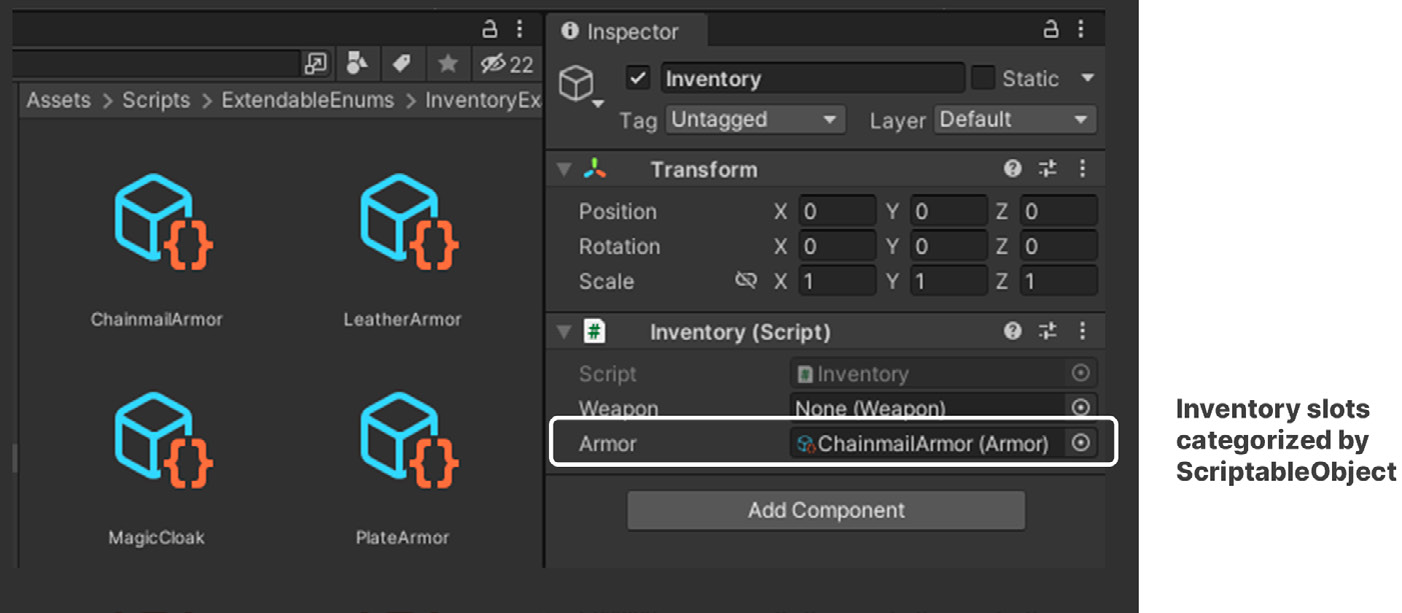
If your application requires an inventory system to equip gameplay items, ScriptableObjects can represent item types or weapon slots. The fields in the Inspector then function as a dragand-drop interface for setting them up.
Drag and drop ScriptableObject-based categories
This artist-friendly UI allows your designers how to modify and extend gameplay data without extra support from a developer. Giving the design team the means and responsibility of maintaining gameplay data allows everyone to focus on what they do best.
Extending behavior Using ScriptableObjects as enums becomes more interesting when you want to extend them by adding more data. Unlike normal enums, ScriptableObjects can have extra fields and methods. Here’s the adapted rock-paper-scissors GameItem. The ScriptableObject asset itself still defines the enum-like category, but this time it’s no longer empty.
public class GameItem : ScriptableObject {
    public GameItem weakness;
    public bool IsWinner(GameItem other) { return other.weakness == this; }
}
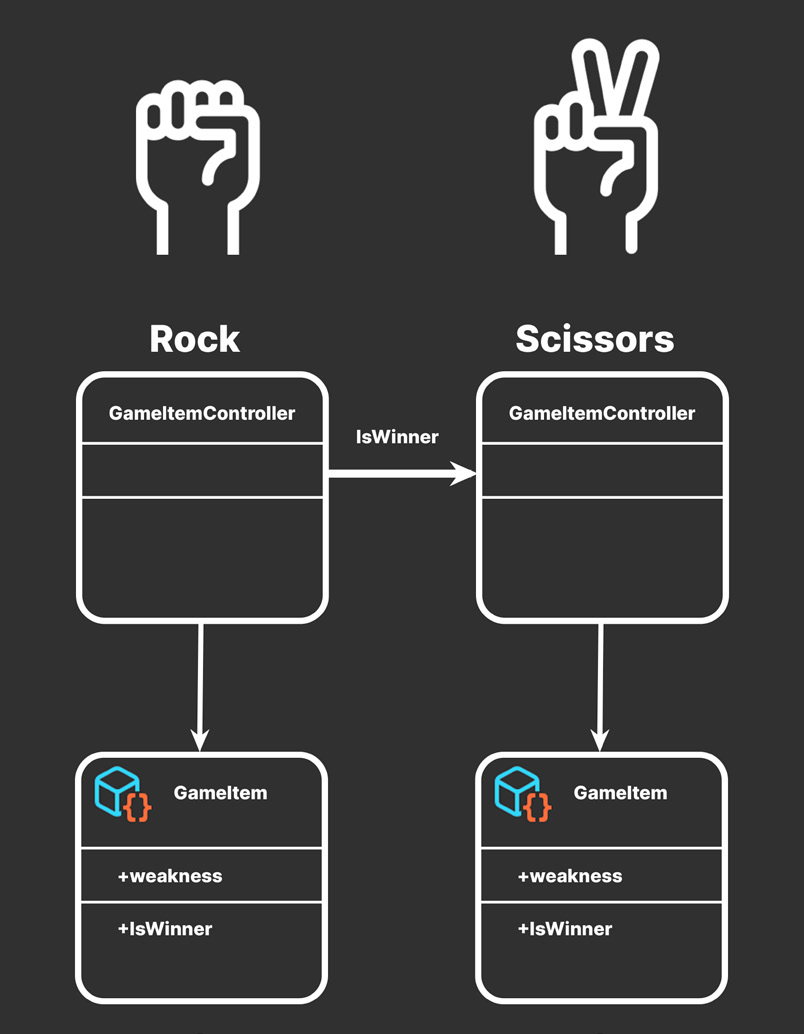
The ScriptableObject now contains a weakness field that determines which other item wins in a potential interaction. In addition to storing data, each ScriptableObject also contains simple comparison logic in IsWinner. Each gameplay item then needs a MonoBehaviour that references a specific ScriptableObject asset. This example works as a controller script:
public class GameItemController : MonoBehaviour {
    // rock, paper, scissors

public GameItem gameItem;private void OnTriggerEnter(Collider other) {
GameItemController otherController = other.GetComponent<GameItem Controller>();
GameItem otherGameItem = otherController.gameItem;if (gameItem.IsWinner(otherGameItem)) {
Debug.Log(gameItem.name + " beats " + otherGameItem.name);
}
}
}It references a ScriptableObject as a field. In OnTriggerEnter, you can check the IsWinner method to see which emerges victorious when the gameItem comes in contact with another. This sets the stage for some Rochambeau-like conflict. Unlike enums, ScriptableObjects are easy to extend. There’s no need to have a separate lookup table or to correlate with a new array of data. Simply add an extra field and/or method to handle the logic.
ScriptableObjects with comparison logic Source: Flatticon
Compare that with maintaining a traditional enum. If you have a long list of enum values without explicit numbering, inserting or removing an enum can change their order. This reordering can introduce subtle bugs or unintended behavior. ScriptableObject-based enums have no such issues. Add more to your project (or delete existing ones), and everything just works. Suppose you wanted to make the item equippable in an RPG. You could append an extra boolean field to the ScriptableObject to do that. Are certain characters not allowed to hold certain items? Are some items magical or have special abilities? ScriptableObject-based enums can do that. Your gameplay data can thus evolve as you work to implement the game design. While you’ll need to coordinate how to set up fields initially, later the designers can fill out the details independently.