Multiplayer Services
Multiplayer Services
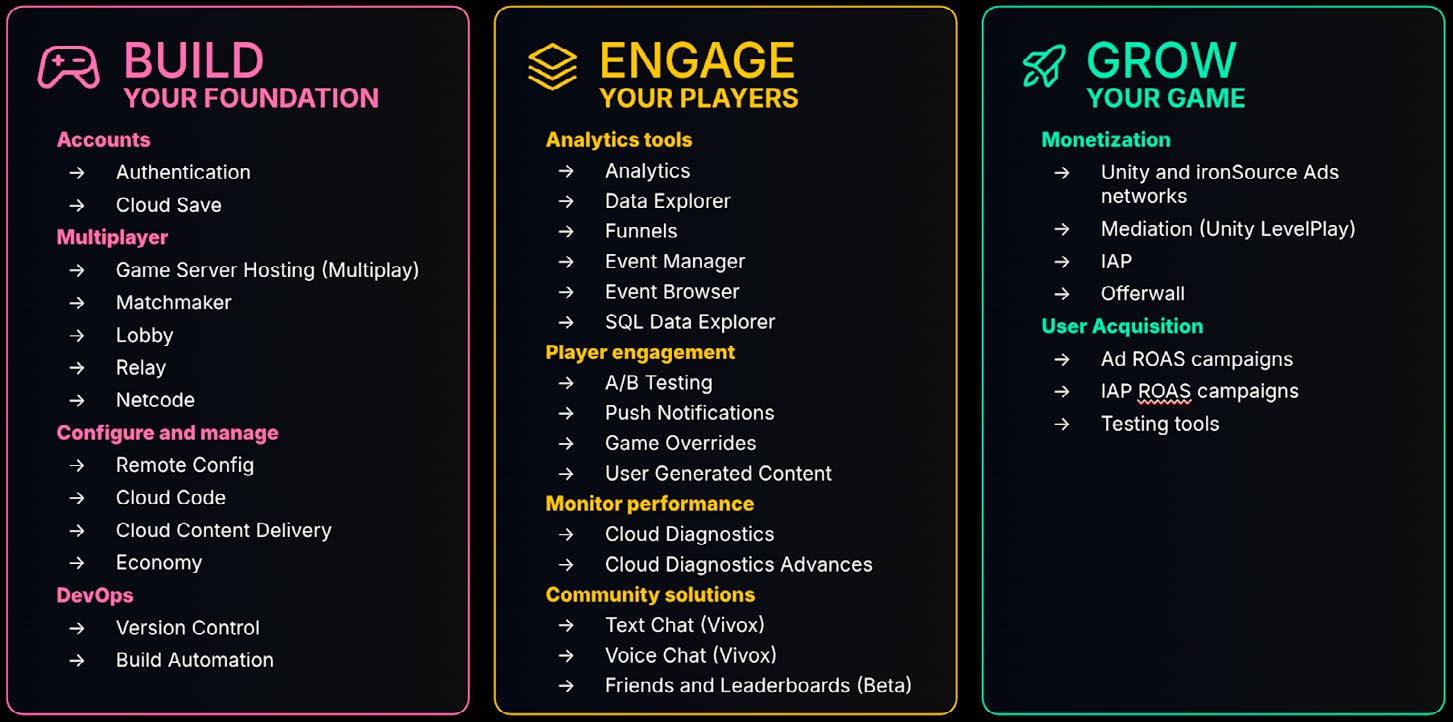
Unity provides a number of services that can simplify your networked multiplayer development. Start learning about each service by looking at the documentation for the Multiplayer Services package, which simplifies the work it takes to manage dependencies across multiplayer services. For example, you can: —
Quickly add multiplayer elements that integrate Unity Gaming Services into your game. Set up Lobby, Relay, Distributed Authority, Matchmaker and Multiplay Hosting.
A new session system provides a simple shared cloud-side backing for a multiplayer game loop that groups players together and manages a shared session/player state.
Create and manage peer-to-peer (P2P), Dedicated Game Server, and Distributed Authority hosted online sessions. Players can join sessions through matchmaking, a Join Code, or by browsing a list of active sessions.
Let’s take a brief look at each of the services:
Matchmaker Matchmaking is the process of connecting players with other players or game sessions based on specified criteria, such as skill level or geographic location, to ensure a balanced and enjoyable game experience. Implementing Unity’s Matchmaker service involves several steps: —
Define matchmaking criteria: Determine the parameters that will be used to match players. This can include skill level, geographic proximity, latency, and player preferences.
Player profiles and ratings: Maintain profiles for each player that include their matchmaking criteria. Use rating systems (e.g., Elo rating) to assess player skill levels and ensure balanced matches.
Matchmaking requests: When a player requests a match, the matchmaking service searches for suitable opponents or teammates based on the defined criteria. This involves querying a pool of available players and finding the best possible match.
Match assignment: Once a suitable match is found, players are assigned to a game session. The service ensures that all players are connected and ready to start the game.
Dynamic adjustments: If specific criteria cannot be met, the matchmaking service can adjust its parameters dynamically to ensure that matches are made promptly without compromising too much on quality.
Use Unity’s Matchmaking to create fair and competitive matches by considering these factors.
Lobby Lobbies are pre-game areas where players can gather, configure game settings, and prepare to start the game. The Lobby service provides a way for players to discover and connect to each other for various multiplayer gaming scenarios. Some common examples include: —
Browsing a list of available game sessions to select and join one
Sharing a join code with your friend to allow them to connect to your game session
Using Quick Join to find any available match and jump in
Creating a public or private lobby and sending invites to your in-game friends list
Hosting a lobby from a game server to manage and restrict access to the server session
Query for lobbies that match specific requirements (e.g. game mode, map type)
The Game lobby sample demonstrates how to use the Lobby and Relay packages to create a typical game lobby experience, including Vivox Voice chat. Players can host lobbies that other players can join using a public lobby list or lobby code. They can then connect via Relay to use Unity Transport for basic real-time communication.
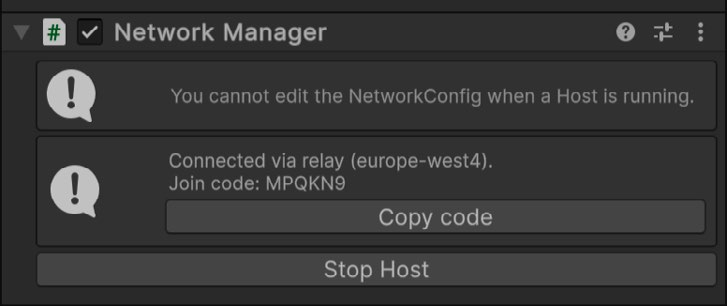
Relay Unity Relay simplified connecting multiple players through a join code system. When a host sets up a game session, they generate a unique join code to share with friends or teammates, who use it to connect to the session. This system streamlines the connection process while ensuring privacy by keeping sensitive information like IP addresses hidden. In peer-to-peer multiplayer games, connecting clients can be difficult due to network issues like NAT (Network Address Translation) and firewalls. Direct connections often require complex network configurations and expose players’ IP addresses, raising security and privacy concerns. Relay solves these problems by acting as an intermediary server, providing secure and simplified connectivity between clients. It eliminates the need for dedicated servers and reduces development overhead. With Relay, just generate a join code and your players can connect right away.
After connection, Relay provides a join code.
See this Getting starting guide to Unity Relay for more information.
Multiplay Hosting Multiplay Hosting removes the complexity of running and operating infrastructure at scale, so your development team can focus on creating engaging player experiences. It also provides ways for you to: —
Track server health and other analytic data.
Update servers with zero downtime patching.
Place players in servers that offers the best experience based on quality of service (QoS) data.
Containerize your builds using Docker and the Multiplay Hosting container registry.
Vivox Vivox enables better cooperative and competitive multiplayer experiences by letting your players talk through in-game voice or text chat. Vivox allows you to integrate text and voice chat into your service with a managed hosted solution. While also providing accessibility and regulatory features such as speech-to-text, chat filtering, and more. Vivox allows player communication across multiple platforms, whether your game is built in Unreal, Unity, or a custom engine. Plug into your game and configure your project settings to add communications to your project from the Unity Dashboard. Connect an unlimited number of users in 2D and 3D channels. Allow users to control voice volume, perform mute actions, and manage their channels. See this GDC session that explains how a number of multiplayer services were integrated into the Megacity Metro demo.