Демонстрационные проекты и ресурсы
Примеры проектов и ресурсы
Unity предлагает примеры проектов, которые помогают освоить Netcode for GameObjects и Netcode for Entities. В них на практике показано, как реализовать сетевое взаимодействие в собственных многопользовательских приложениях.
Ресурсы по Netcode for GameObjects Unity Learn: начало работы с Netcode for GameObjects Этот курс Unity Learn пошагово объясняет, как создать и протестировать простую многопользовательскую игру в Unity, использовать и проверять удаленные вызовы процедур (RPC) и NetworkVariable. Вы также создадите простой интерфейс для режимов Host, Client и Server и добавите базовое управление перемещением в каждом режиме.
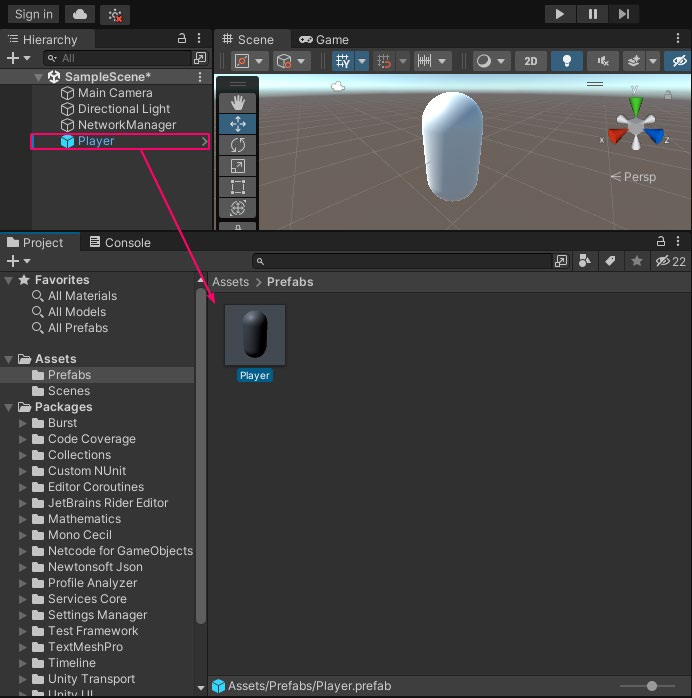
Снимок экрана из курса Unity Learn по Netcode for GameObjects
Bitesize Samples Репозиторий Bitesize Samples содержит набор модульных примеров кода, которые можно применять в своих играх и использовать для изучения Netcode for GameObjects. В репозиторий входят:
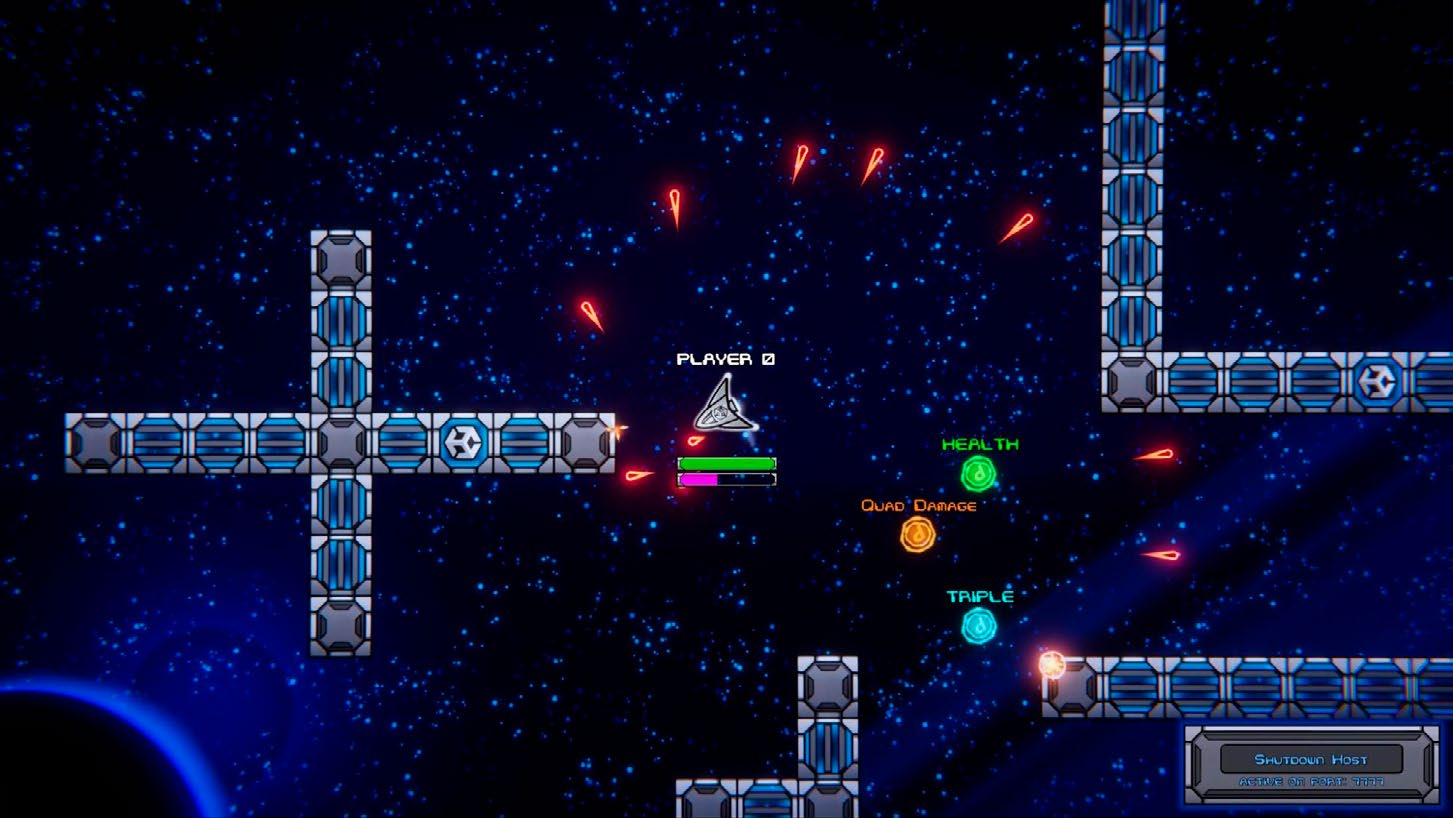
- 2D Space Shooter Sample: физическое перемещение, эффекты состояния, NetworkVariable и пулы объектов.
2D Space Shooter из набора Bitesize Samples
- Distributed Authority Social Hub: настройка топологии, в которой управление состоянием игры распределено между несколькими клиентами, что снижает нагрузку на сервер. - Multiplayer Use Cases Overview: типичные действия в многопользовательской среде, которые следует учитывать при проектировании игровых возможностей.
- Client Driven Sample: клиентское управление перемещением, сетевая физика, создаваемые и статически размещенные объекты, а также смена родительского объекта.
- Dynamic Addressables Network Prefabs: динамическая система префабов, позволяющая добавлять во время выполнения новые префабы, доступные для создания.
Boss Room Boss Room - пример казуальной трехмерной кооперативной игры на базе Netcode for GameObjects. Проект помогает изучить основные концепции и шаблоны многопользовательского игрового цикла.
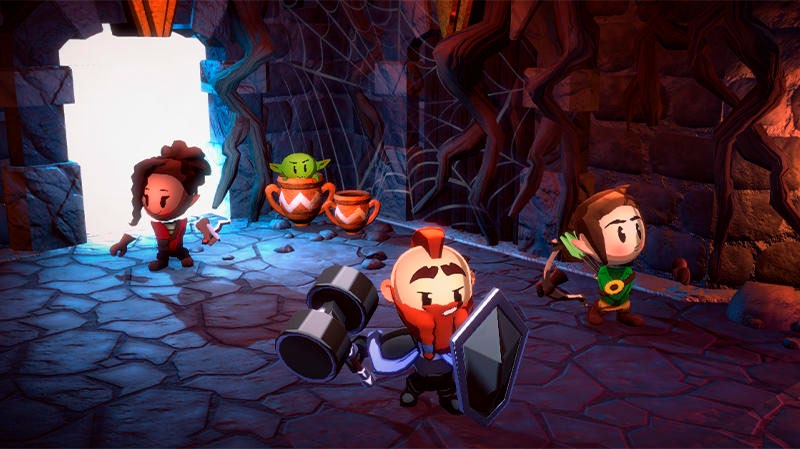
Boss Room представляет собой законченный фрагмент полнофункциональной кооперативной игры.
Boss Room - одновременно рабочий пример и учебный проект для разработчиков сетевых многопользовательских игр. Это самый зрелый готовый к выпуску пример Unity на базе рабочих процессов Netcode for GameObjects. Он содержит код промышленного уровня и интегрирован с сервисами Lobby и Relay.
Boss Room демонстрирует сетевые игровые механики: способности персонажей и особые атаки, сетевую физику и отслеживание состояния разрушаемых объектов, переключателей и дверей. Эти приемы показывают, как скрыть задержку и сохранить плавность игры даже в неблагоприятных сетевых условиях. Рассмотрим проект подробнее. Игровой цикл и управление состоянием: Boss Room содержит практическую реализацию состояния как в лобби, так и во время игры. Проект показывает обработку подключений, загрузку и выгрузку сетевых сцен и корректное отключение игроков. Интеграция с UGS: в Boss Room используются Relay, Lobby, Authentication и другие возможности UGS. Вспомогательные скрипты и инструменты: репозиторий содержит решения, которые можно адаптировать для других проектов, включая примеры клиентской авторитетности, утилиты управления сценами и сетевые пулы объектов.
Клиент-серверная модель: в Boss Room один игрок выступает хостом (сервером), а остальные - клиентами. Централизация игровой логики снижает риск мошенничества и обеспечивает согласованное состояние игры у всех клиентов.
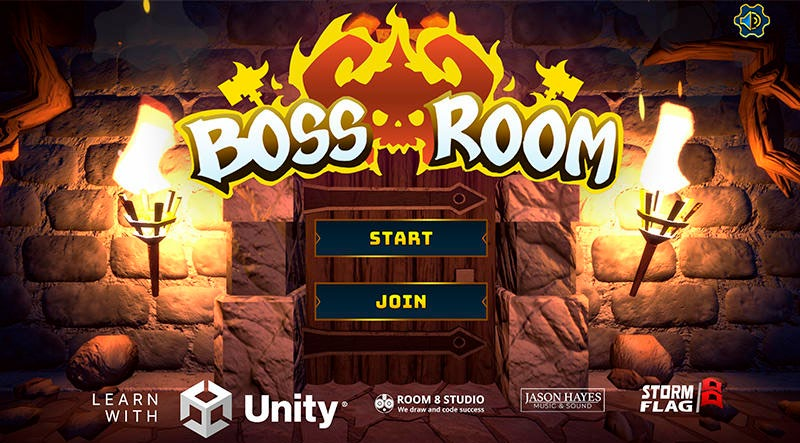
Стартовое меню примера Boss Room
Для подробного знакомства с проектом прочитайте публикацию в блоге и посмотрите четырехчастный вебинар на YouTube «Создание готовой к выпуску многопользовательской игры с Netcode for GameObjects». В серии рассматриваются базовые игровые механики и серверная авторитетность, реализация сетевого игрового процесса и создание объектов. Также показано, как повысить устойчивость игры к действиям игроков и эффективнее использовать пропускную способность. Материалы дают практические рекомендации на примере полноценного многопользовательского проекта.
Шаблон Small Scale Competitive Multiplayer Доступный в Unity Hub шаблон служит отправной точкой для создания и выпуска многопользовательского проекта с Netcode for GameObjects и UGS. В шаблон входит инструмент Bootstrapper для тестирования различных сетевых режимов (Host, Client и Server) и динамических конфигураций.
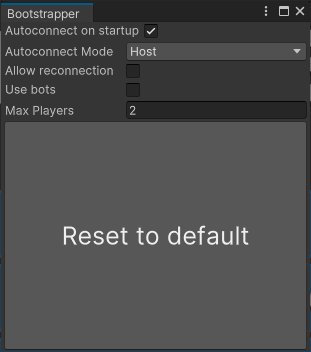
Чтобы начать, откройте проект и выполните инструкции в приветственном окне. Пройдите встроенные руководства или исследуйте проект самостоятельно, загрузив стартовую сцену через меню Multiplayer > Bootstrapper. Настройте поля Bootstrapper в соответствии с тестовым сценарием и перейдите в режим Play.
Настройте параметры Bootstrapper.
Учебные материалы и полезные ресурсы доступны в любое время через меню Tutorials > Show Tutorials.
Шаблон VR Multiplayer
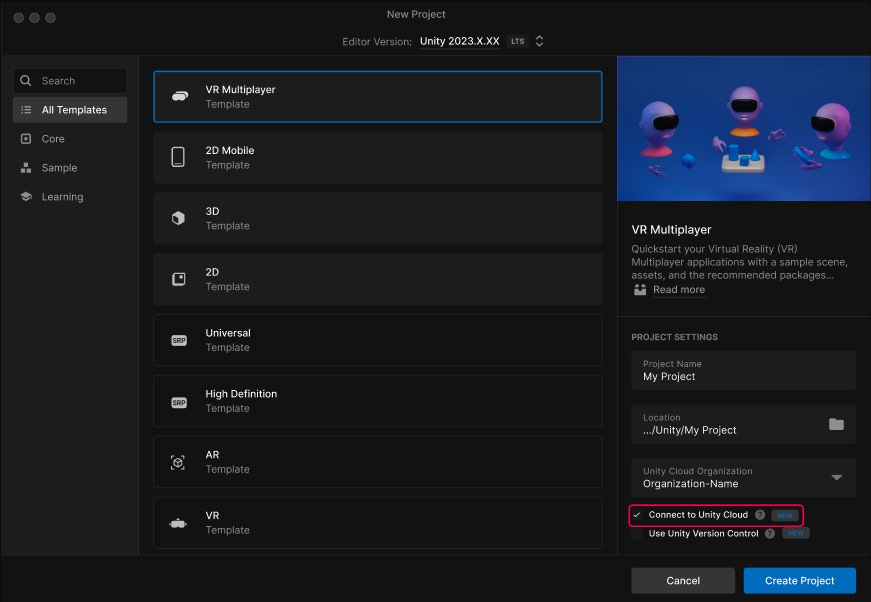
Откройте шаблон VR Multiplayer в Unity Hub.
Шаблон VR Multiplayer предназначен для новых проектов под устройства OpenXR. Он содержит все необходимое для сетевых взаимодействий, голосового чата, лобби и других функций. Шаблон использует Unity Gaming Services, Netcode for GameObjects и XR Interaction Toolkit и оптимизирован для Meta Quest и других совместимых с OpenXR устройств. Основные возможности:
- Сетевые взаимодействия на базе XRI Interaction Toolkit и Netcode for GameObjects
- Голосовая связь через Vivox - Подключение игроков из любой точки мира с помощью Relay и Lobby - Сетевые аватары и руки - Кроссплатформенная работа через OpenXR Загрузите шаблон Unity VR Multiplayer для Unity 2022 LTS и Unity 6 Preview через Unity Hub и ознакомьтесь с кратким руководством.
Ресурсы по Netcode for Entities Начало работы с Netcode for Entities Этот вебинар по запросу подробно рассматривает Megacity Metro - крупномасштабный кроссплатформенный пример многопользовательской игры Unity, созданный с Netcode for Entities и Unity Gaming Services. Материал рассчитан на пользователей, уже знакомых с DOTS и готовых создавать технически сложные многопользовательские игры.
Примеры ECS Netcode Примеры демонстрируют множество базовых и расширенных возможностей: синхронизацию, сценарии подключения, интеграцию с Unity Physics и многое другое. Начните с руководства Networked Cube, где рассматриваются:
- Установление соединения с сервером - Обмен данными с сервером - Создание синхронизированных сущностей на сервере
- Создание автономных сборок сервера и клиента - Запуск сервера и клиента в режиме Play внутри редактора
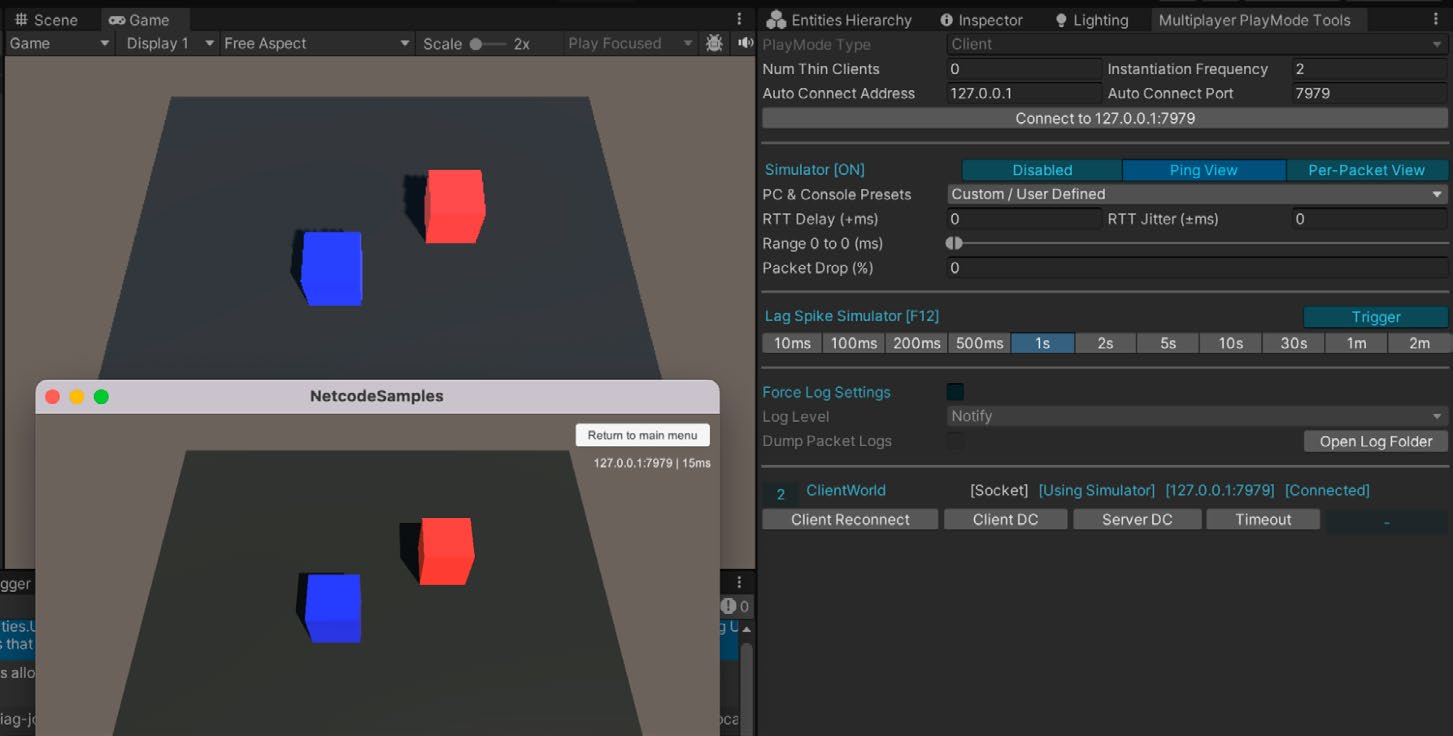
Руководство Networked Cube: запуск в редакторе и в автономной сборке
ECS Network Racing Этот пример многопользовательской гоночной игры демонстрирует рекомендуемые приемы работы с Unity Netcode for Entities. В нем реализована клиент-серверная архитектура с прогнозированием на стороне клиента, интерполяцией и компенсацией задержки.
ECS Racing демонстрирует расширенные многопользовательские возможности.
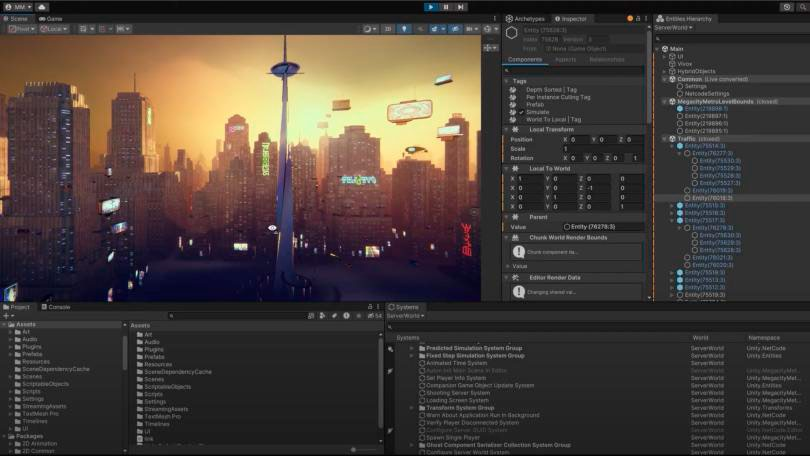
Megacity Metro Megacity Metro для Unity 6 и Unity 2022 LTS - масштабируемая кроссплатформенная демонстрация новейших технологий Unity, включая пакет Netcode for Entities. Этот многопользовательский экшен от третьего лица поддерживает более 128 игроков одновременно. Пример подойдет тем, кто хочет освоить игровой процесс с авторитетным сервером и применение UGS на всех этапах создания многопользовательской игры.
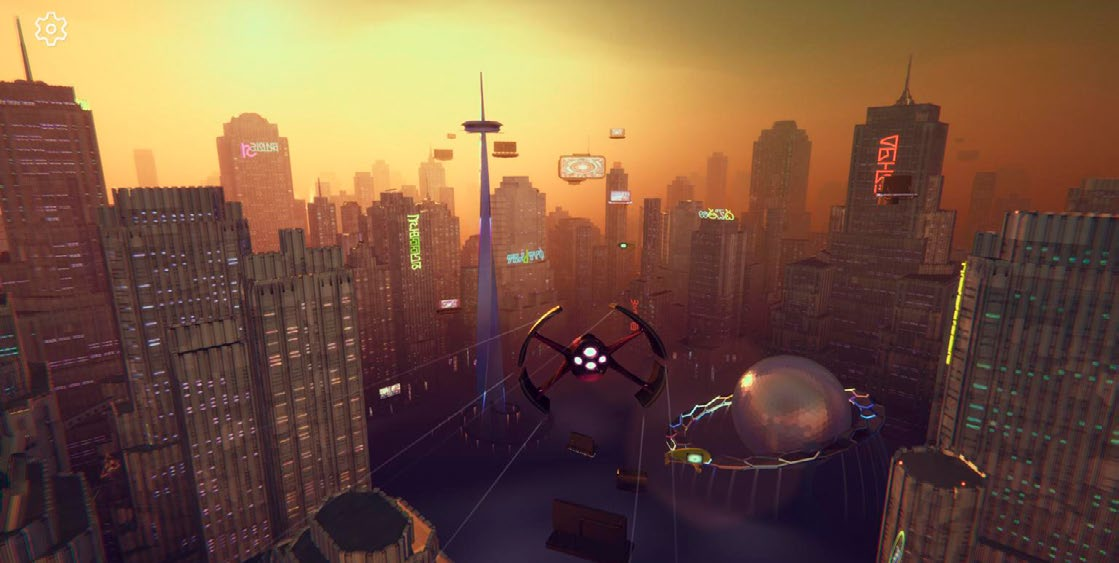
Демоверсия Unity Megacity Metro поддерживает более 128 игроков.
Узнайте больше о создании масштабных игр с ECS for Unity и многопользовательскими решениями Unity. ECS дает опытным разработчикам дополнительный контроль и детерминизм, необходимые для более амбициозных проектов. Megacity Metro демонстрирует интерполяцию, прогнозирование на стороне клиента и компенсацию задержки. Загрузите проект, чтобы изучить Multiplay Hosting, Matchmaker, Vivox Voice Chat и другие сервисы.
Megacity Metro демонстрирует применение Netcode for Entities в многопользовательском экшене.
Экспериментальный пакет Multiplayer Services Для многопользовательской игры необходимо объединить несколько продуктов и сервисов. Новый пакет Multiplayer Services (com.unity.services.multiplayer) упрощает их интеграцию, управление зависимостями и взаимодействие с продуктами.
Multiplayer Services - единое решение для добавления сетевого многопользовательского режима. Пакет работает на базе UGS и объединяет возможности Relay, Lobby и других сервисов в новой системе Sessions, которая упрощает соединение групп игроков. Multiplayer Services позволяет создавать P2P-сеансы и предлагает несколько способов присоединения: по коду, через список активных сеансов или с помощью Quick Join.
Sample projects and resources
Unity offers a variety of sample projects designed to help you get started with Netcode for GameObjects and Netcode for Entities. These resources provide practical examples to guide you through implementing multiplayer networking in your own applications.
Resources for Netcode for GameObjects Unity Learn: Get started with Netcode for GameObjects This Unity Learn tutorial provides practical steps on building and testing a basic multiplayer game in Unity, as well as utilizing and testing Remote Procedure Calls (RPCs) and Network Variables. You’ll also learn how to create a simple user interface for different modes (Host, Client, and Server) and add and control basic movements in these modes.
A screenshot from the Unity Learn tutorial on Netcode GameObjects
Bitesize samples The Bitesize Samples repository provides a series of sample code as modules to use in your games and better understand Netcode for GameObjects. The repository includes: —
2D Space Shooter Sample: Learn more about physics movement and status effects using Netcode NetworkVariables and object pooling.
The 2D Space Shooter from the Bitesize Samples
Distributed Authority Social Hub: Learn how to set up this topology where control and management of the game state are distributed among multiple clients, reducing server load.
Multiplayer Use Cases Overview: This sample shows you how to perform common actions in a multiplayer environment, so that you can build the features of your game with them in mind.
Client Driven Sample: Learn more about client-driven movements, networked physics, spawning vs statically placed objects, and object reparenting.
Dynamic Addressables Network Prefabs: Learn more about the dynamic prefab system, which allows us to add new spawnable prefabs at runtime.
Boss Room Boss Room is a 3D casual co-op game sample project built with Netcode for GameObjects that is designed to help you explore the concepts and patterns behind a multiplayer game flow.
Boss Room is a slice of a full-featured co-op multiplayer game.
Both a functional game sample and learning tool for developers interested in networked multiplayer games, Boss Room is Unity’s longest running production-ready multiplayer sample built with the Netcode for GameObjects workflows. This sample includes production-level code and is integrated with our Lobby and Relay hosting services. Boss Room demonstrates game mechanics for network play, including character abilities and special attacks, networked physics, and state tracking (e.g., breakable objects, switches, and doors). These techniques demonstrate how to hide latency and create smooth gameplay even under less than ideal network conditions. Let’s take a closer look. Game flow and state management: Boss Room includes a practical implementation of game state, covering both the lobby and in-game play. It demonstrates how to handle player connections, load and unload scenes for network play, and manage graceful disconnections. Integration with UGS: Boss Room integrates several UGS features, including Relay, Lobby, and Authentication. Utility scripts and tools: The repo also contains a variety of utility scripts and tools that can be adapted for use in other projects, including examples of client authority, scene management utilities, and networked object pooling.
Client-server model: Boss Room uses a client-server model where one of the players acts as the host (server) and other players are clients. Centralizing game logic reduces the chances of cheating and ensures that the game state is consistent across all clients.
The start menu in the Boss Room sample project
For a deep dive into the project, be sure to check out this blog post and this four-part YouTube webinar, “Build a production-ready multiplayer game with Netcode for GameObjects.” The series covers foundational game mechanics and server authority, including how to implement networked gameplay and object spawning. It also demonstrates how to enhance game resilience to player actions and optimize for better bandwidth management. This resource is for developers looking for practical, hands-on guidance using a full-featured multiplayer project.
Small Scale Competitive Multiplayer template Available from the Unity Hub, this template provides a starting point to create and ship your multiplayer project using Netcode For GameObjects and UGS. The template includes a Bootstrapper tool that helps you test using various network modes (Host, Client, Server) and dynamic configurations.
To get started open the project and follow the instructions in the included welcome dialog. Follow the in-editor tutorials or explore on your own and load the start scene from the Multiplayer > Bootstrapper menu item. Adjust the value of each field of the Bootstrapper according to what you want to test and enter Play mode.
Set the Bootstrapper options.
Remember that you can access tutorials and useful resources at any time from the Tutorials > Show tutorials menu.
VR Multiplayer template
Open the VR Multiplayer template from the Unity Hub.
The VR Multiplayer template is is designed for creators starting a new project that will target an OpenXR device. It provides everything you need for networked interactions, voice chat, lobbies, and more. It leverages Unity Gaming Services, Netcode For GameObjects and the XR Interaction Toolkit and is built to work well on the Meta Quest platform as well as other OpenXR compliant devices. The key features of the VR Multiplayer template include: —
Networked Interactions via XRI Interaction Toolkit and Netcode for GameObjects
Voice Communication via Vivox
Connect to anyone, anywhere with Relay and Lobby
Networked Avatars and Hands
Works cross platform via OpenXR
Download the Unity VR Multiplayer Template for Unity 2022 LTS and Unity 6 Preview from the Unity Hub and check out the quickstart guide.
Resources for Netcode for Entities Getting started with Netcode for Entities This on-demand webinar takes a deep dive into Megacity Metro, Unity’s large-scale, crossplatform multiplayer game sample made with Netcode for Entities and Unity Gaming Services. The webinar is for users who are already familiar with DOTS and want to start creating ambitious multiplayer games.
ECS Netcode samples These samples demonstrate many basic and advanced features, including syncing, connection flows, integration with Unity Physics, and more. Start with the Networked Cube tutorial, which covers: —
Establishing a connection with the server.
Communicating with the server.
Spawning synchronized entities on the server.
Creating standalone builds of the server and client.
Running the server and a client in Play mode within the Editor.
The Networked Cube tutorial running in the Editor and as a standalone build
ECS Network Racing This multiplayer racing game sample showcases best practices for using Unity Netcode for Entities. This demo features an implementation of client-server architecture with client-side prediction, interpolation, and lag compensation.
ECS Racing showcases advanced multiplayer features.
Megacity Metro Megacity Metro (Unity 6, Unity 2022 LTS) is a scalable, high-concurrency, cross-platform demo of our latest technology, including the Netcode for Entities package. This third-person multiplayer action demo supports 128+ players. The multiplayer sample is perfect for those who want to master implementing serverauthoritative gameplay and leveraging UGS for an end-to-end multiplayer game.
The Megacity Metro demo from Unity supports 128+ players.
Learn more about building ambitious games using ECS for Unity and our Multiplayer solutions. ECS for Unity brings value to seasoned Unity creators who need additional control and determinism to achieve more ambitious games. Megacity Metro features advanced mechanics like interpolation, client-side prediction and lag compensation. Download the demo to explore services like Multiplay Hosting, Matchmaker, and Vivox Voice Chat.
Megacity Metro uses Netcode for Entities in a multiplayer action demo.
Experimental Multiplayer Services package Building a multiplayer game requires integrating several products and services together. With the new Multiplayer Services package (com.unity.services.multiplayer), we’re simplifying integration and dependencies management across multiplayer services while offering a new way to interact with the products. The Multiplayer Services package is a one-stop solution for adding online multiplayer elements to a game. Powered by UGS, it combines capabilities from services such as Relay and Lobby into a single new “Sessions” system to help you quickly define how groups of players connect together. The Multiplayer Services package enables you to create peer-to-peer (P2P) sessions while providing multiple methods for players to join those sessions, such as by a join code, by browsing a list of active sessions, and “Quick Join.”