Handles.color
Declaration
public static Color color;Описание
Цвет — это постоянное состояние, влияющее на все хендлы, отрисованные после его установки. Используйте DrawingScope для установки цвета для блока ручек без влияния на цвет других ручек.
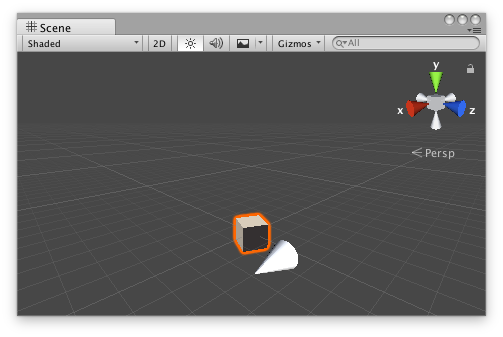
Белый конус, указывающий на 0,0,0.
// Name this script "SliderHandleEditor"
using UnityEngine;
using System.Collections;
using UnityEditor;

[CustomEditor(typeof(SliderHandle))]
public class SliderHandleEditor : Editor
{
    // Simple script that creates a Slide Handle that
    // allows you to drag a 'look at' point along the X axis

    void OnSceneGUI()
    {
        SliderHandle t = (target as SliderHandle);

        // Set the colour of the next handle to be drawn:
        Handles.color = Color.magenta;

        EditorGUI.BeginChangeCheck();
        Vector3 lookTarget = Handles.Slider(t.lookTarget, new Vector3(1, 0, 0), 2, Handles.ConeHandleCap, 0.1f);
        if (EditorGUI.EndChangeCheck())
        {
            Undo.RecordObject(target, "Changed Slider Look Target");
            t.lookTarget = lookTarget;
            t.Update();
        }
    }
}
И скрипт, приложенный к этому GameObject:
// Name this script "SliderHandle"
using UnityEngine;
using System.Collections;

[ExecuteInEditMode]
public class SliderHandle : MonoBehaviour
{
    public Vector3 lookTarget = new Vector3(0, 0, 0);

    public void Update()
    {
        transform.LookAt(lookTarget);
    }
}