EditorGUILayout.TextArea
Declaration
public static string TextArea(string text, params GUILayoutOption[] options);public static string TextArea(string text, GUIStyle style, params GUILayoutOption[] options);Параметры
| Параметр | Описание |
|---|---|
| текст | Текст для редактирования. |
| стиль | Факультативно GUIStyle. |
| варианты | Необязательный список параметров компоновки, задающих дополнительные свойства раскладки. Любые переданные здесь значения переопределяют настройки, заданные style.Дополнительные ресурсы: GUILayout.Width, GUILayout.Height, GUILayout.MinWidth, GUILayout.MaxWidth, GUILayout.MinHeight, GUILayout.MaxHeight, GUILayout.ExpandWidth, GUILayout.ExpandHeight. |
Возвращаемое значение
строка Текст, введенный пользователем.
Описание
Создайте текстовую область.
Это работает точно так же, как @@GUILayout.TextArea@@ с надлежащей реакцией на действия, такие как Выбрать все, Копировать, Вставить в Редактор.
Для поддержки отмены, см. Undo.RecordObject.
Чтобы сделать перенос текста, установите EditorStyles.textField.wordWrap.
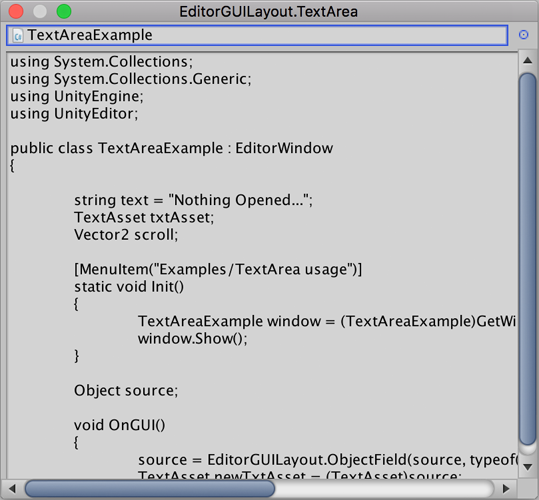
Быстрый редактор скриптов.
// Simple script that lets you visualize your scripts in an editor window
// This can be expanded to save your scripts also in the editor window.

using UnityEngine;
using UnityEditor;

public class TextAreaExample : EditorWindow
{
    string text = "Nothing Opened...";
    TextAsset txtAsset;
    Vector2 scroll;

    [MenuItem("Examples/TextArea usage")]
    static void Init()
    {
        TextAreaExample window = (TextAreaExample)GetWindow(typeof(TextAreaExample), true, "EditorGUILayout.TextArea");
        window.Show();
    }

    Object source;

    void OnGUI()
    {
        source = EditorGUILayout.ObjectField(source, typeof(Object), true);
        TextAsset newTxtAsset = (TextAsset)source;

        if (newTxtAsset != txtAsset)
            ReadTextAsset(newTxtAsset);

        scroll = EditorGUILayout.BeginScrollView(scroll, GUILayout.Height(position.height - 30));
        text = EditorGUILayout.TextArea(text);
        EditorGUILayout.EndScrollView();
    }

    void ReadTextAsset(TextAsset txt)
    {
        text = txt.text;
        txtAsset = txt;
    }
}