Классы
Classes
No one in the brief history of computing has ever written a piece of perfect software. It’s unlikely that you’ll be the first. – Andy Hunt, author of The Pragmatic Programmer
According to Robert C. Martin’s Clean Code, the first rule of classes is that they should be small. The second rule is they should be even smaller than that. Limiting the size of each class makes it more focused and cohesive. It’s easy to keep adding on top of an existing class until it overextends with functionality. Instead make a conscious effort to keep the classes short. Big, bloated classes become difficult to read and troubleshoot.
The newspaper metaphor Imagine the source code of a class as a news article. You start reading from the top, where the headline and byline catch your eye. The lead-in paragraph gives you a rough summary. Then you glean more details as you continue downward.
Journalists call this the inverted pyramid. The broad strokes of most newsworthy items appear at the beginning. You only get the story’s nuances as you read to the end. Your class should also follow this basic pattern. Organize top-down and think of your functions as forming a hierarchy. Some methods serve a higher-level and lay the groundwork for the big picture. Put these first. Then, place lower-level functions with implementation details later. For example, you might make a method called ThrowBall that references other methods, SetInitialVelocity and CalculateTrajectory. Keep ThrowBall first, since that describes the main action. Then, add the supporting methods below it. Though each news article is short, a newspaper or news website will have many such collected stories. When taken together, the articles comprise a unified, functional whole. Think of your Unity project in the same way. It has numerous classes that must come together to form a larger, yet coherent, application.
Class organization Each class will need some standardization. Group class members into sections to organize them: —
Fields
Properties
Events / Delegates
Monobehaviour Methods (Awake, Start, OnEnable, OnDisable, OnDestroy, etc.)
Public Methods
Private Methods
Recall the recommended class naming rules in Unity: the source file name must match the name of the Monobehaviour in the file. You might have other internal classes in the file, but only one Monobehaviour should exist per file unless separated by namespaces.
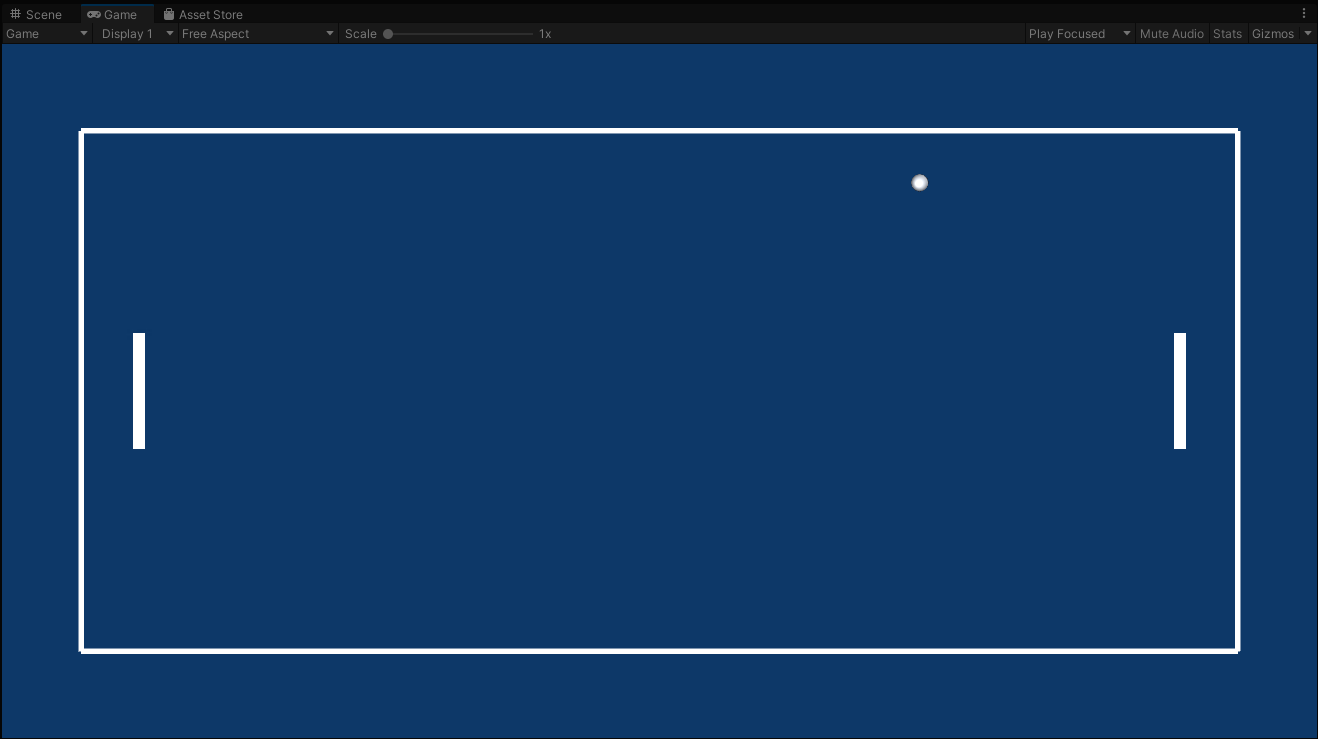
Single-responsibility principle Remember the goal is to keep each class short. In software design, the single-responsibility principle guides you toward simplicity. The idea is that each module, class, or function is responsible for one thing. Suppose you want to build a game of Pong. You might start with classes for a paddle, a ball, and a wall.
Fancy a game of Pong?
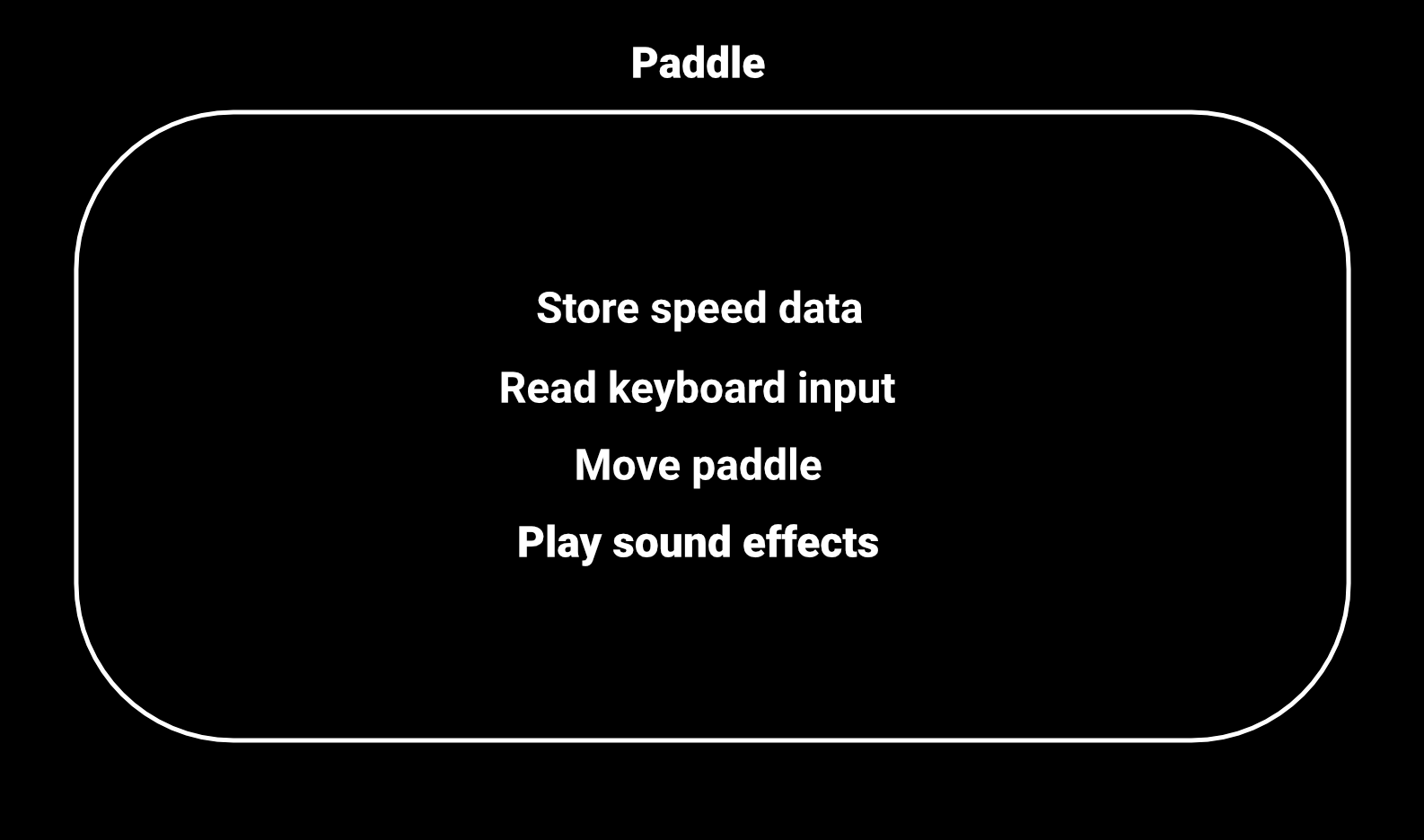
For example, a Paddle class might need to: —
Store basic data about how fast it can move
Check keyboard input
Move the paddle in response
Play a sound when colliding with a ball
Because the game design is simple, you can incorporate all of these things into a basic Paddle class. In fact, it’s entirely possible to create one Monobehaviour that does everything you need.
One Monobehaviour doing everything
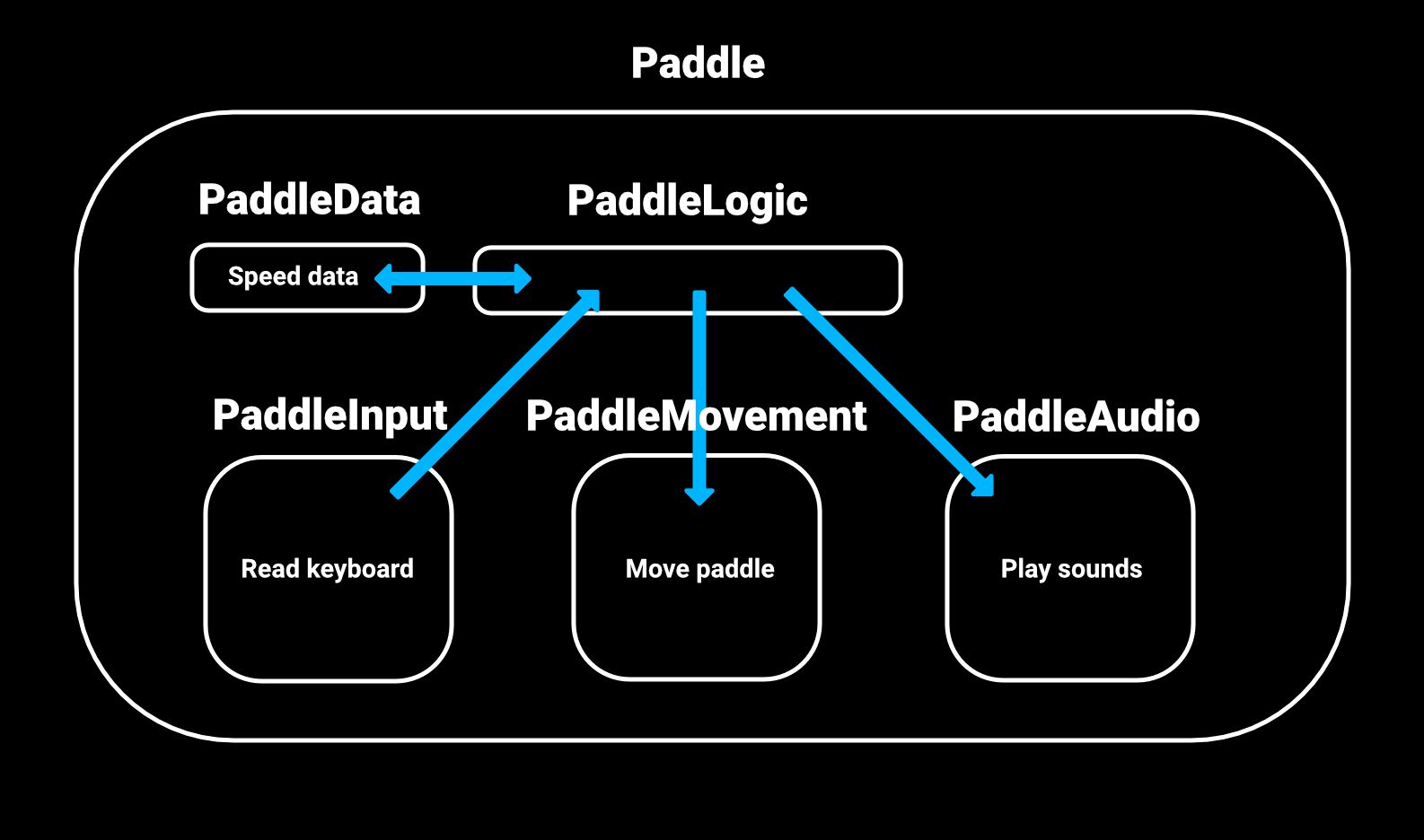
However, keeping everything as part of one class, even a small one, complicates the design by mixing responsibilities. The data intertwines with the input, while the class needs to apply logic to both. Contrary to the KISS principle, you’ve taken a few simple things and entangled them. Instead, break your Paddle class into smaller classes, each with a single responsibility. Separate data into its own PaddleData class or use a ScriptableObject. Then refactor everything else into a PaddleInput class, a PaddleMovement class, and a PaddleAudio class. A PaddleLogic class can process the input from the PaddleInput. Applying the speed information from the PaddleData, it can shift the paddle using the PaddleMovement. Finally, the PaddleLogic can notify the PaddleAudio to play a sound when the ball collides with the paddle.
Refactor a Paddle class into single responsibilities
Each class does one thing in this redesign and fits into small, digestible pieces. You don’t need to scroll through several screens to follow the code. You’ll still require a Paddle script but its sole job is to tie these other classes together. The bulk of the functionality is split into the other classes. Note that clean code is not always the most compact code. Even when you use shorter classes, the total number of lines may increase during refactoring. However, each individual class becomes easier to read. When the time comes to debug or add new features, this simplified structure helps keep everything in its place.
Refactoring example For a more in-depth look at refactoring a simple project, see How to architect code as your project scales. This article demonstrates how to break down larger Monobehaviours into smaller pieces using the single-responsibility principle. You can also watch Mikael Kalms’ original presentation, “From Pong to 15-person project,” at Unite Berlin.