EditorUtility.SaveFolderPanel
Declaration
public static string SaveFolderPanel(string title, string folder, string defaultName);Описание
Отображает диалог "сохранить папку" и возвращает выбранное имя пути.
Дополнительные ресурсы: SaveFilePanel, OpenFilePanel функции.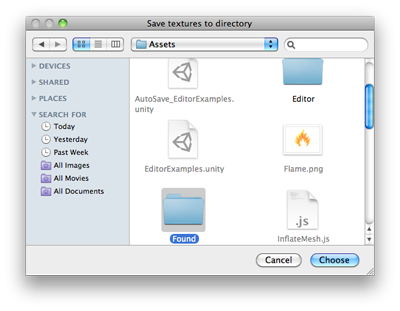
Панель сохранения папки.
using UnityEngine;
using UnityEditor;
using System.IO;

public class SaveFolderPanelExample : EditorWindow
{
    [MenuItem("Example/Save Textures To Folder")]
    static void Apply()
    {
        Object[] textures = Selection.GetFiltered(typeof(Texture2D), SelectionMode.Unfiltered);
        if (textures.Length == 0)
        {
            EditorUtility.DisplayDialog("Select Textures", "You must select at least one texture first!", "OK");
            return;
        }

        string path = EditorUtility.SaveFolderPanel("Save textures to folder", "", "");
        if (path.Length != 0)
        {
            foreach (Texture2D texture in textures)
            {
                Texture2D processedTex = texture;

                byte[] pngData = processedTex.EncodeToPNG();
                if (pngData != null)
                    File.WriteAllBytes(path + "/" + texture.name + ".png", pngData);
                else
                    Debug.Log("Could not convert " + texture.name + " to png. Skipping saving texture.");
            }

            // Just in case we are saving to the asset folder, tell Unity to scan for modified or new assets
            AssetDatabase.Refresh();
        }
    }
}