EditorGUIUtility.FindTexture
Declaration
public static Texture2D FindTexture(string name);Параметры
| Параметр | Описание |
|---|---|
| имя | Имя текстуры ресурсов редактора или путь к ресурсу текстуры. |
Возвращаемое значение
Texture2D Текстура.
Описание
Получает текстуру из исходного имени файла. Вы можете загрузить ресурс текстуры Редактора по имени или текстуру из пути ассета.
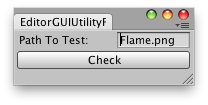
Проверяет путь текстуры.
// Simple editor window that lets you quick check a path of
// a texture in the editor.
//
// If the path exists then it shows a message
// else displays an error message

using UnityEngine;
using UnityEditor;

public class FindTextureExample : EditorWindow
{
    string s;

    [MenuItem("Examples/Find editor texture")]
    static void findTextureExampleEditor()
    {
        FindTextureExample window = EditorWindow.GetWindow<FindTextureExample>(true);
        window.Show();
    }

    [MenuItem("Examples/Find Editor texture from name")]
    static void findTextureExampleByName()
    {
        // Load a texture located in the Editor resource bundle.
        // Unfortunately there is no official way to know the name of all Editor resources bundle assets.
        var texture = EditorGUIUtility.FindTexture("aboutwindow.mainheader");
    }

    [MenuItem("Examples/Find editor texture from path")]
    static void findTextureExampleFromPath()
    {
        // Load a texture from its path.
        // This is equivalent to AssetDatabase.LoadAssetAtPath
        var t1 = EditorGUIUtility.FindTexture("Assets/Sprites/Bomb_Sprite.png");
        var t2 = AssetDatabase.LoadAssetAtPath<Texture2D>("Assets/Sprites/Bomb_Sprite.png");
        if (t1 == t2)
            Debug.Log("Same texture!");
    }

    void OnGUI()
    {
        s = EditorGUILayout.TextField("Texture To Locate:", s);

        if (GUILayout.Button("Check"))
            if (EditorGUIUtility.FindTexture(s))
            {
                Debug.Log("Texture found at: " + s);
            }
            else
            {
                Debug.Log("No texture found at: " + s + ". Check your filename.");
            }
    }
}
Примечание: Эта функция используется только для поиска значков редактора.